

My Calendars: Connect or Disconnect Outlook Calendar
Many companies use Microsoft 365 with restricted permissions for third-party applications. As a result, when you attempt to sign up using Microsoft SSO or connect your Outlook calendar, Microsoft blocks the request until admin approval is granted.
If you're trying to sign up for Sembly using your Microsoft account or connect your Outlook calendar, you may see a message like this:
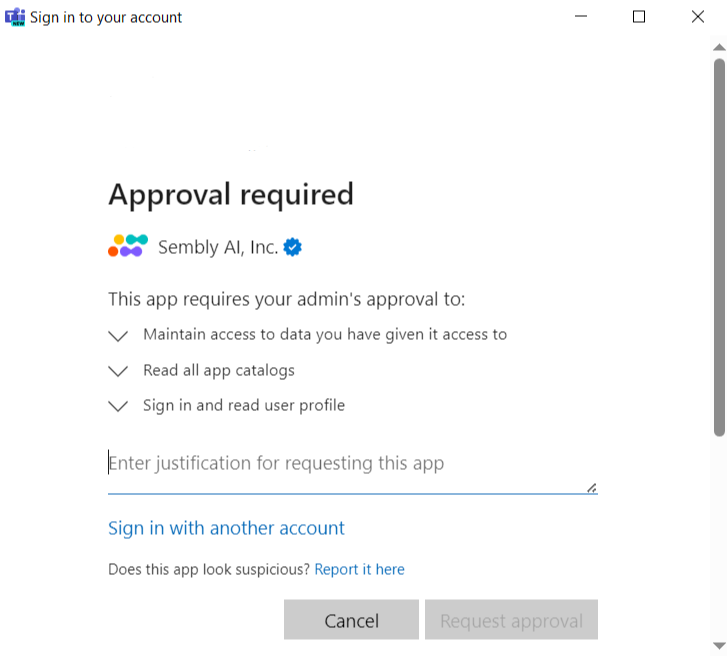
This is expected behavior in organizations that use strict Microsoft security policies.

What Your Microsoft Admin Needs to Do
Your administrator must grant Sembly permissions in the Azure portal.
Sign in to the Azure Portal
Go to Security settings
Proceed to the Permissions page
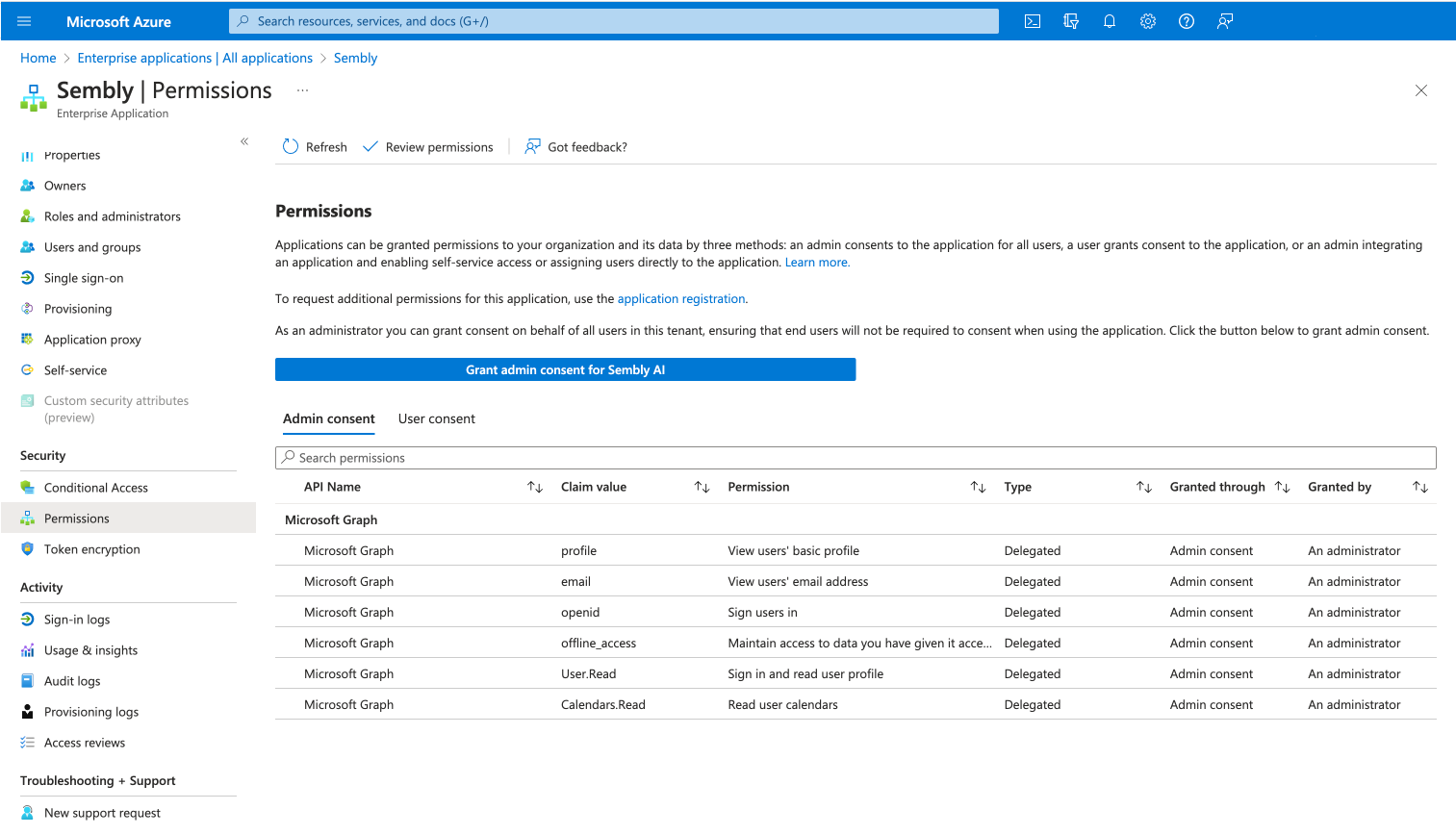
Grant required permissions for Sembly
After admin approval is granted, you will be able to sign in using Microsoft SSO, the Outlook calendar connection will work correctly, and no further approval prompts will appear.
