SemblyAI application on iPhone and iPad
SemblyAI application on Android
The Sembly Mobile App is a lightweight companion to the Sembly platform, designed to help you record meetings directly from your phone and access their transcripts in real time. It focuses on capturing conversations quickly and easily, while the full meeting analysis and management experience is available in the web app.

Inside the mobile app, you can record meetings using your device’s microphone, create and manage Local Recordings, and view meeting transcripts. The experience is intentionally minimal and streamlined, focusing on speed and usability rather than full feature parity with the web platform.

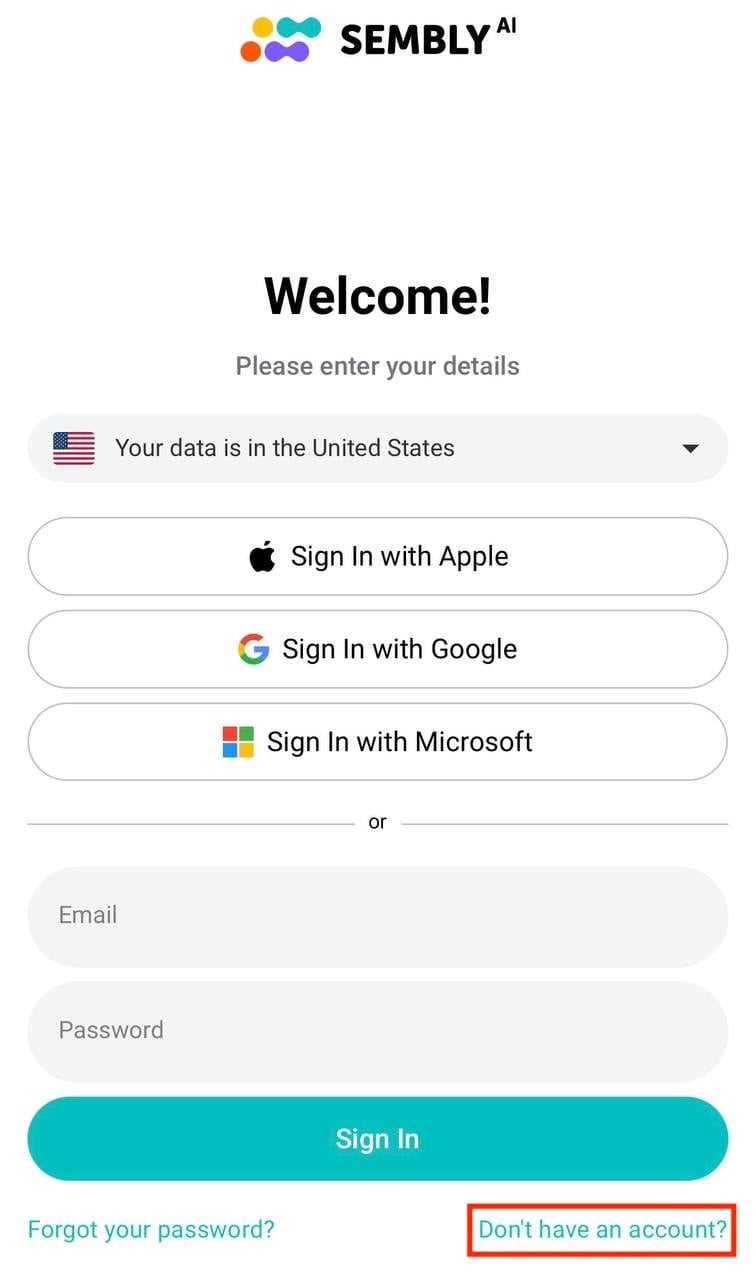
When logging in, choose your server: US or EU
Currently, the Sembly Mobile App supports Google, Apple, and Microsoft SSO as well as email and password login.
If you don't yet have a Sembly account, you can sign up directly from the mobile app.
On the Welcome screen, tap Don't have an account? at the bottom right of the page to open the Sign Up screen
At the top of the Sign Up screen, choose your data hosting region - US 🇺🇸 or EU 🇪🇺 from the dropdown. Make sure to select the same region you intend to use the rest of your Sembly account on, as accounts created in different regions cannot be merged
Choose your preferred sign-up method:
Tap Sign Up with Apple, Sign Up with Google, or Sign Up with Microsoft to register quickly using SSO, or
Enter your email, set a password, and Confirm Password below to register with email and password. Your password should be at least 8 characters long and contain both upper- and lower-case letters, as well as digits
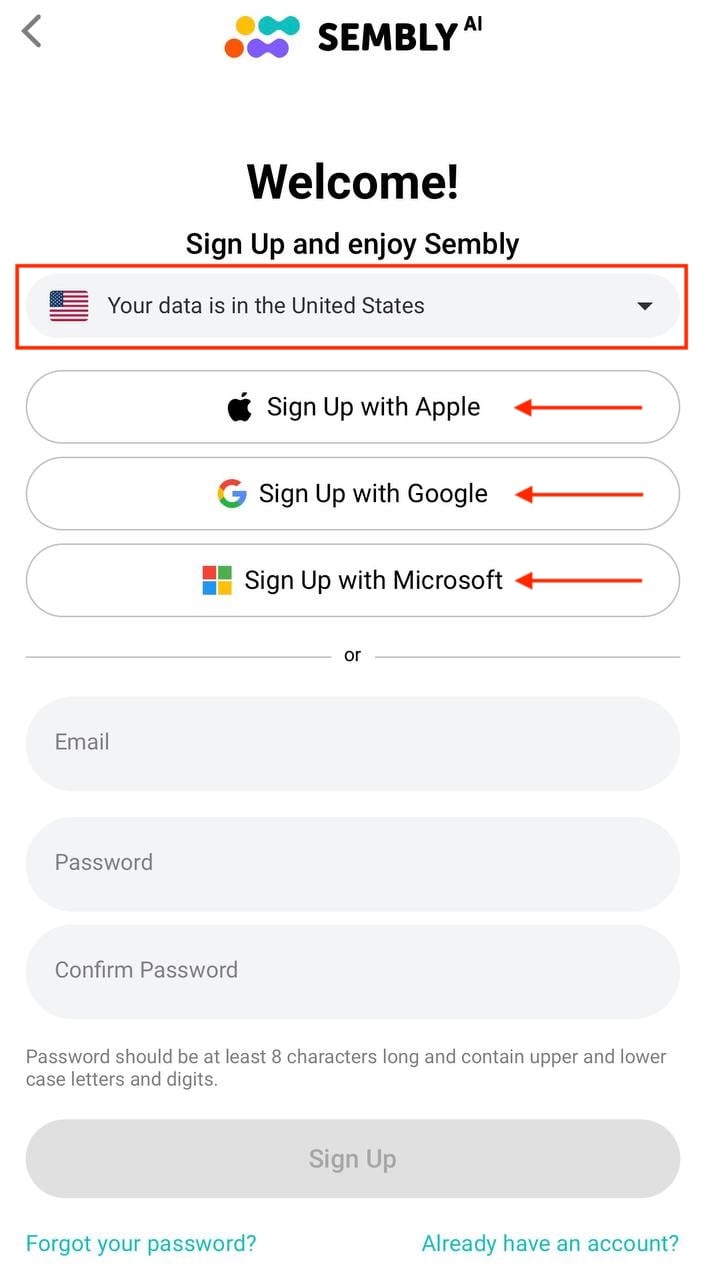
Once your details are filled in, the Sign Up button will become active. Tap it to complete your registration
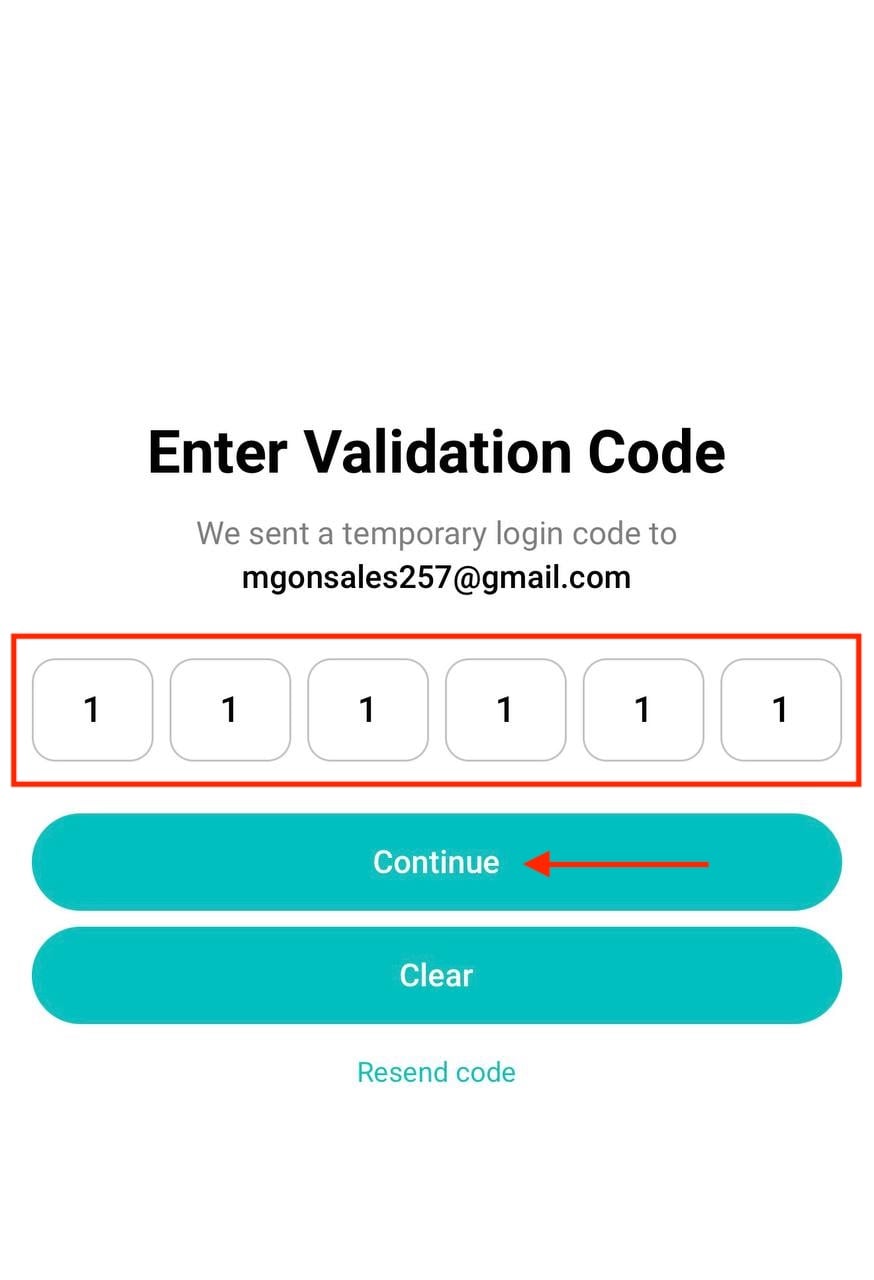
Enter your validation code (email sign-up only). If you registered with your email and password, Sembly will send a temporary login code to your email address. On the Enter Validation Code screen, type in the 6-digit code and tap Continue. If the code did not arrive, tap Resend code to receive a new one. If you mistyped a digit, tap Clear
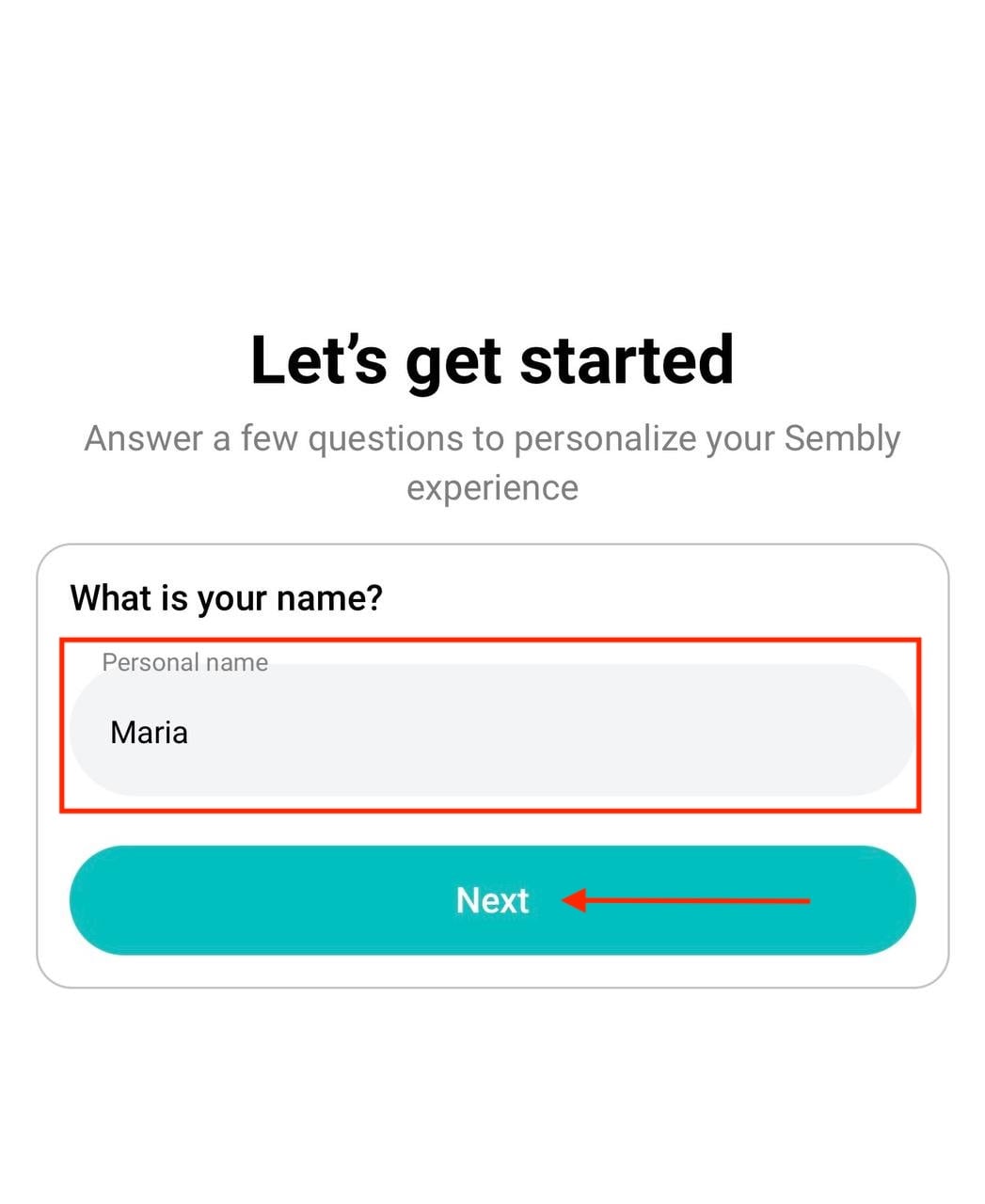
Type in your name in the Personal name field and tap Next
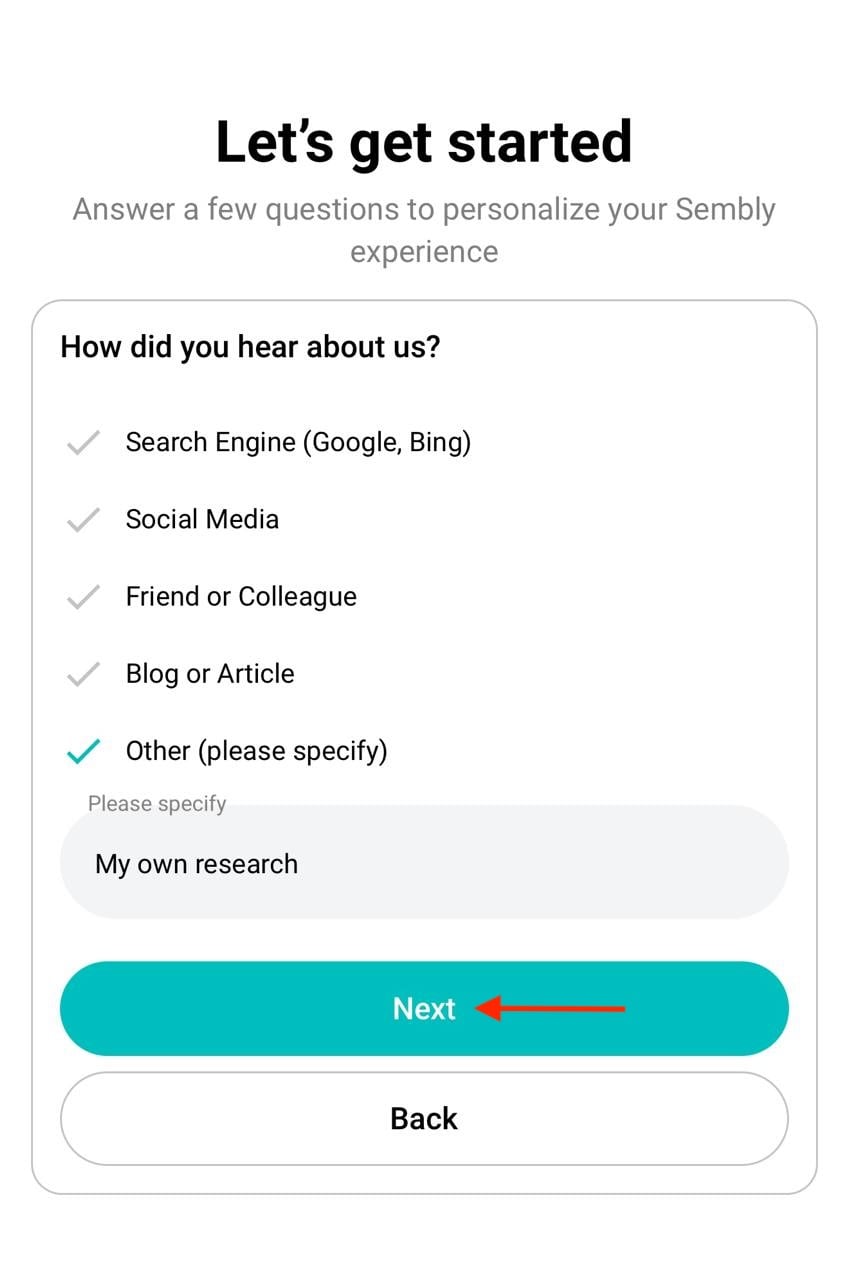
Tell us how you heard about us. Select one of the options, or in Other, write down a short note with details. Tap Next to continue, or Back to return to the previous step
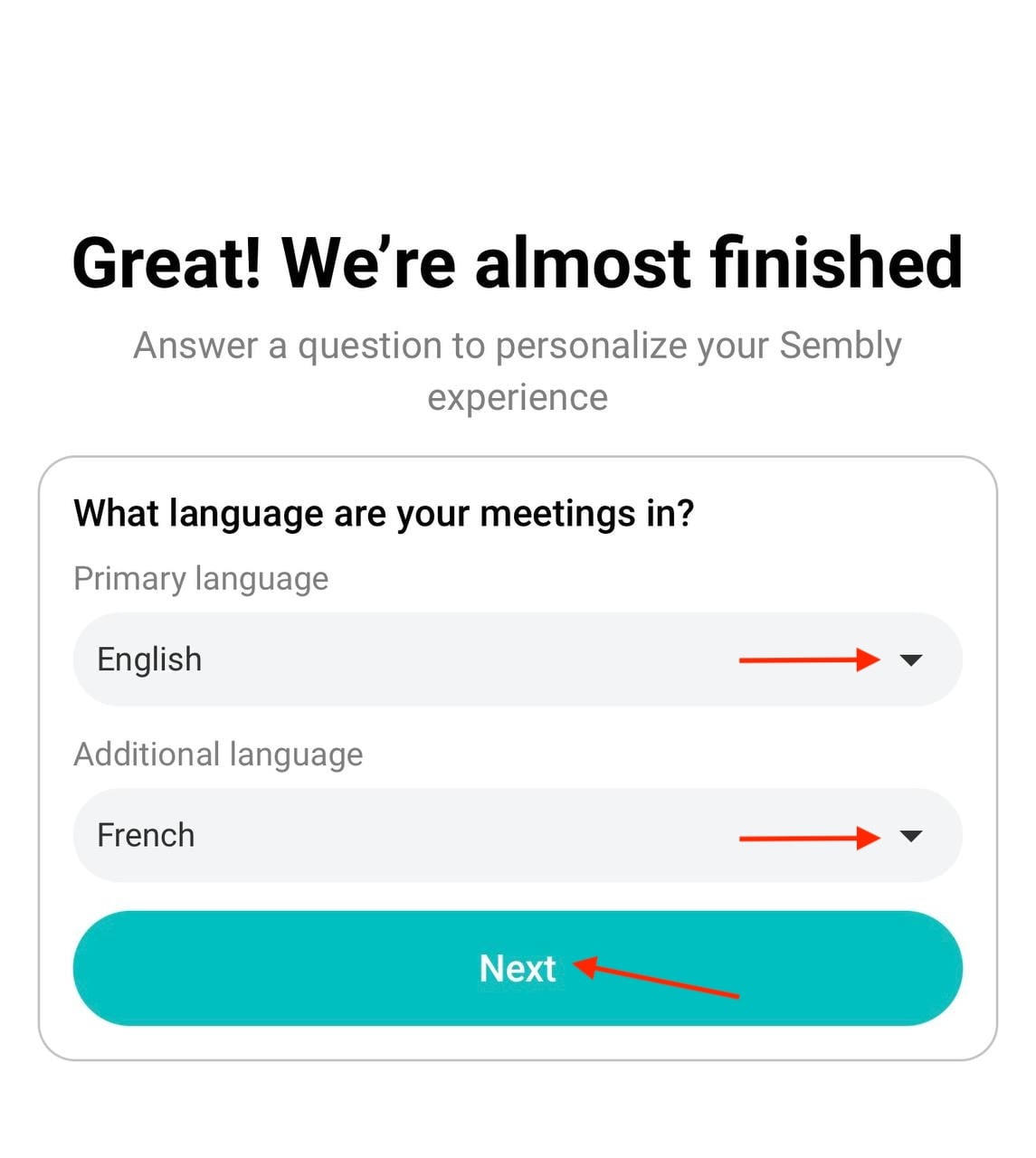
Choose your Primary language from the dropdown, and, if your meetings include a second language, select an Additional language as well. Tap Next
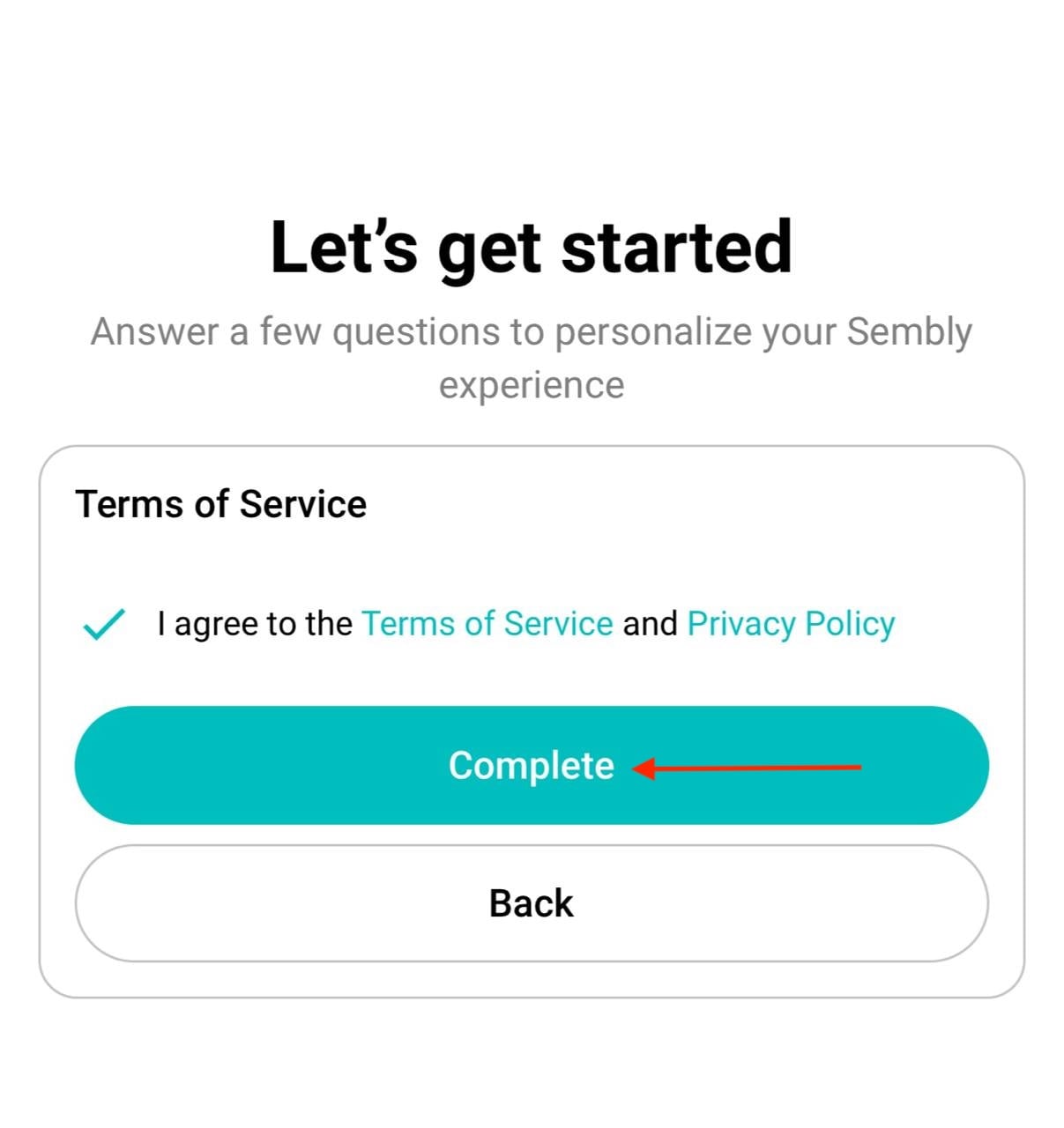
And finally, accept the Terms of Service. Tick the box I agree to the Terms of Service and Privacy Policy, then tap Complete to finish setting up your account
Once registered, you'll be signed in to your new Sembly account on the mobile app and can start recording meetings right away.
To view, upgrade, change, or cancel your plan, use the web app: Log in at https://webapp.sembly.ai or https://webapp-eu.sembly.ai/login for EU, go to Settings > Plans, and select the one you would like to trial.
For step-by-step guidance, see "How to Upgrade your plan and Cancel Subscription”.

