
LEGACY PLAN : PROFESSIONAL | TEAM | TEAM PLUS
Sembly can join meetings that are already in progress, even if they weren’t scheduled in advance. Try the Invite Sembly form to add the Sembly agent to a meeting.
Use the form to add Sembly to a meeting that’s in progress or scheduled. If you haven’t connected your calendar, you can use Invite Sembly the same way you would use a calendar invite.

Follow these steps to invite Sembly to your meeting from the app:
Start a meeting with your conference application or find a scheduled invite.
Copy the meeting URL.
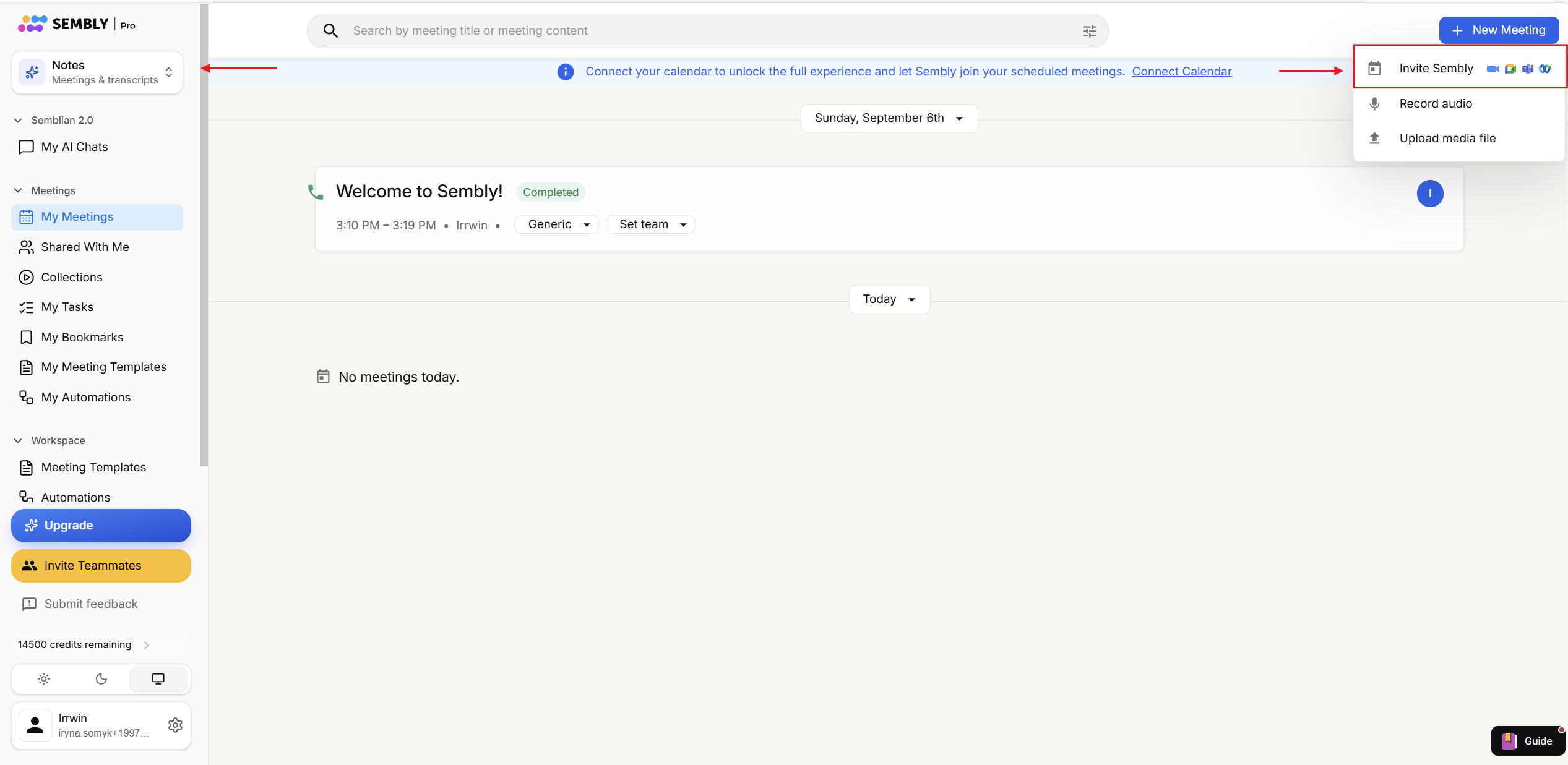
Open your Sembly account, click the Notes/Studio tab in the upper-left corner, click + New Meeting in the upper-right of the window, then select Invite Sembly.
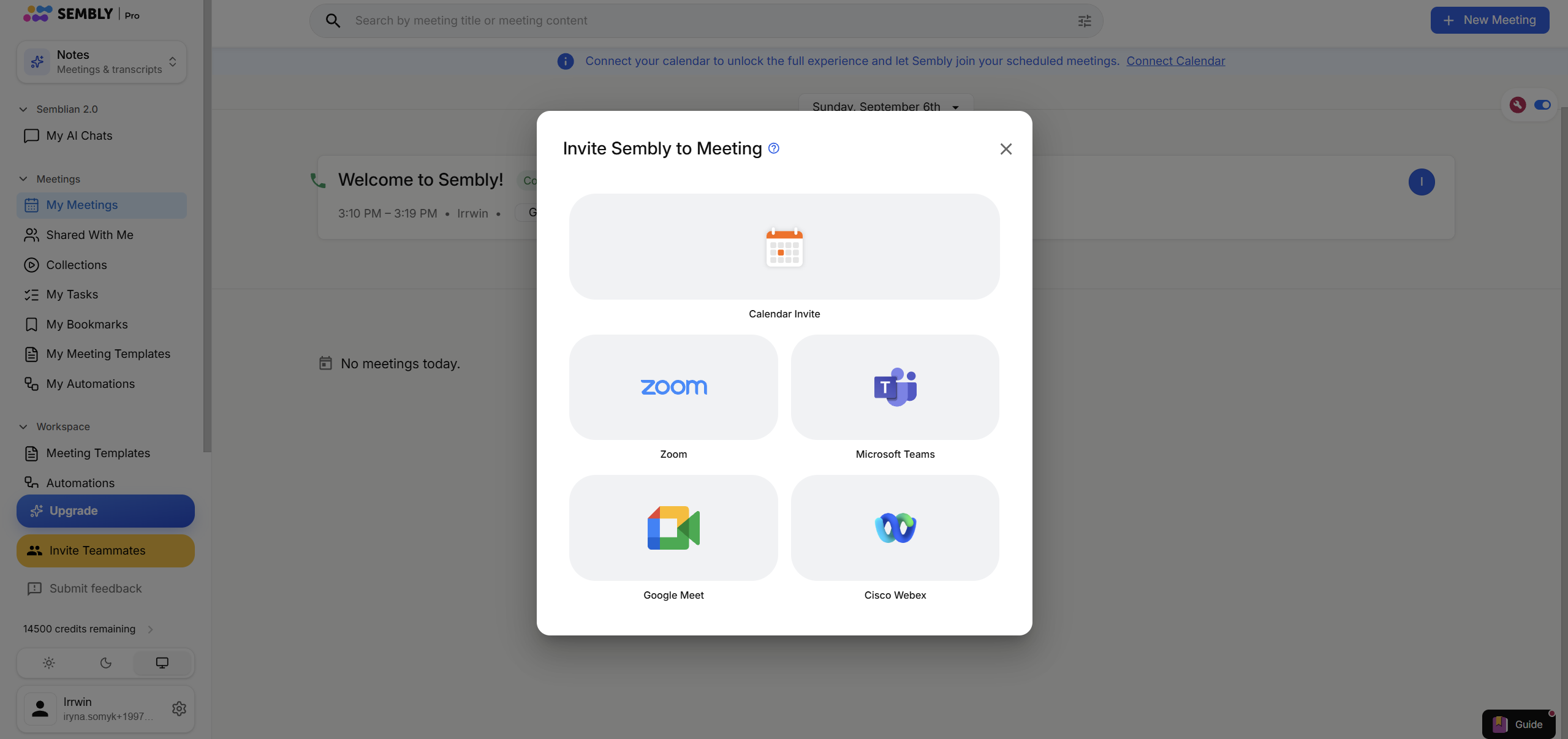
Select the application you use from the proposed options. Once you select an application, the meeting details form will pop up. If the selected application is not the one you need, go back to the options using an arrow.
In the meeting details window, change the title if necessary.
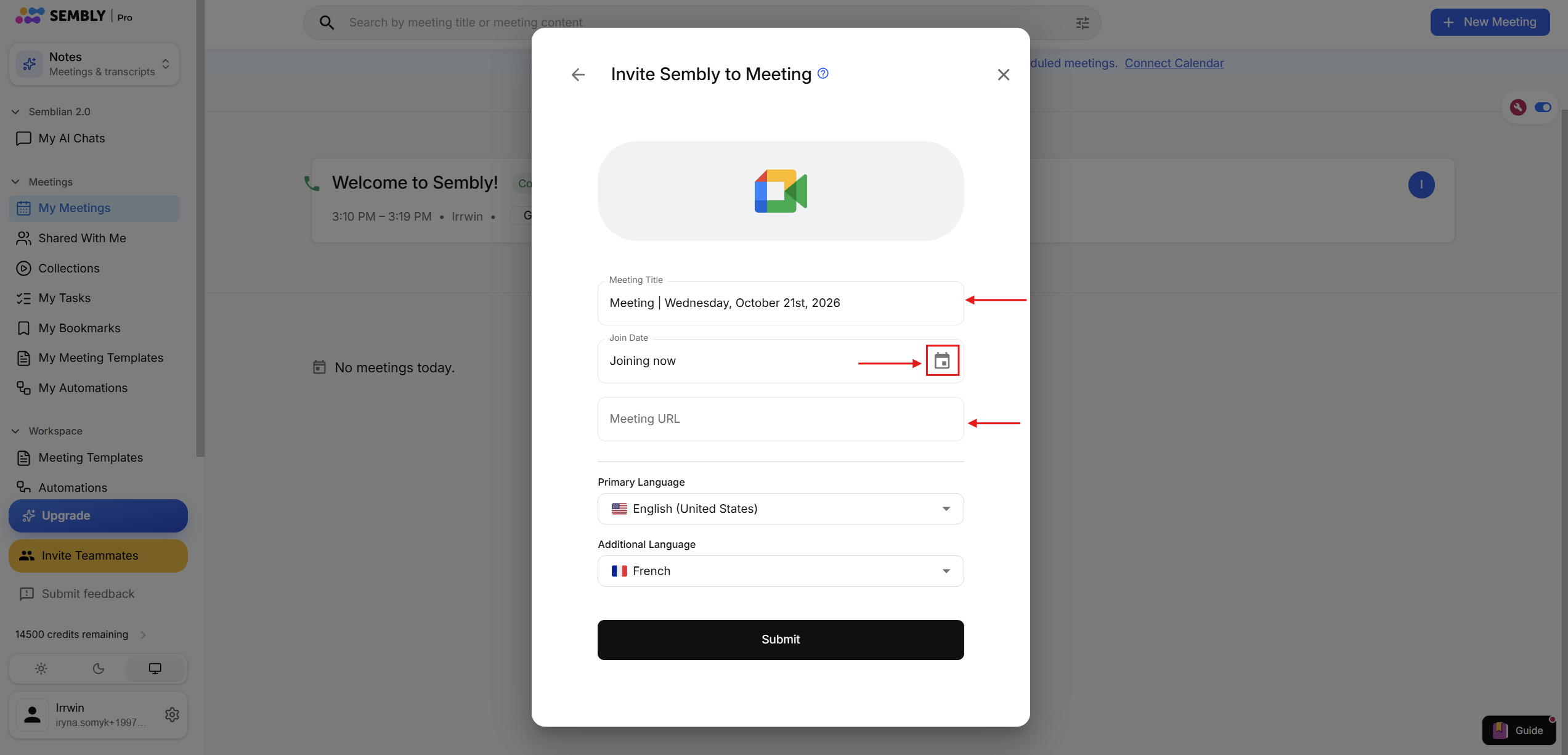
In Join Date, leave Join Now for the ongoing meeting, or click the calendar icon and set the time for Sembly to join if you prefer to delay the recording.
Paste the meeting URL.
Choose the primary and additional language (if needed). Set the languages you will speak during this meeting so Sembly can recognize and transcribe them correctly.
Click Submit.
Close the confirmation pop-up window, and the meeting will be added to your meetings list automatically with the "Will Attend" status.
When Sembly joins, accept it as an attendee to record your call.


