

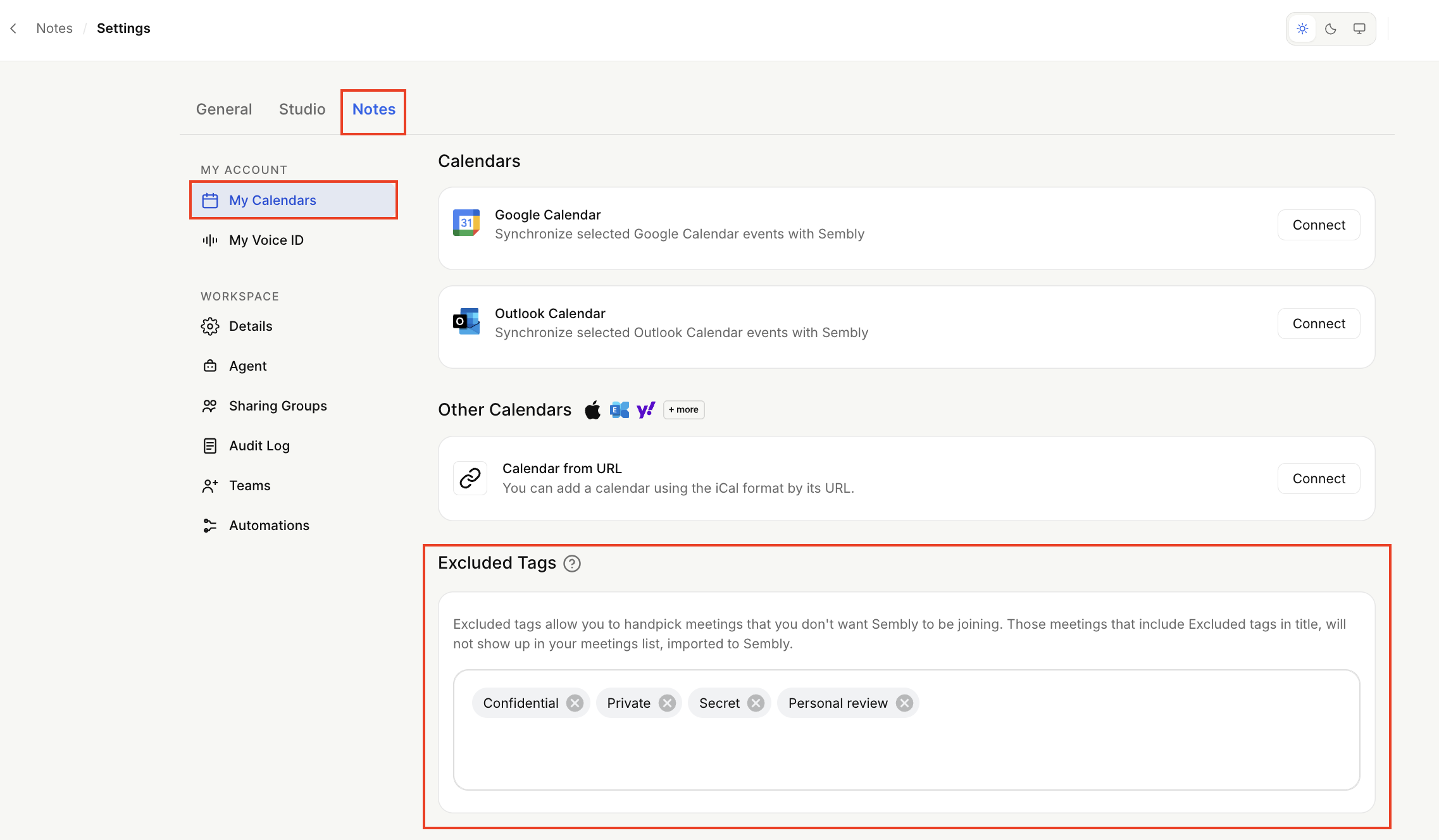
Excluded tags allow you to handpick meetings that you don’t want Sembly to be joining. You can set up tags in the Settings → Notes → My Calendar section. Those meetings that include Excluded tags, will not show up in your meetings list, imported to Sembly.
You can use Excluded Tags in two ways:
Choose the word that is in the title of the meeting you don’t want to be imported from your calendar to the Sembly meeting list, and add it to the Excluded Tags listing.
Set up a tag word and include it in the calendar for every meeting that you don’t want to be recorded by Sembly.
To set up tags, type in the word you chose, and click Enter. List as many tag words as you like. No need for commas.
The Excluded Tags feature is case-insensitive. Thus, if you include the tag in your meeting title with capitalization, the meeting still won’t be synced up.
If you change your mind and decide to record the meeting whose title includes excluded tags, you will be able to invite Sembly via Instant Invite.