Each paid Sembly subscription renews automatically at the end of your monthly or annual billing cycle unless you cancel beforehand. You can cancel your subscription at any time in your Sembly account. Your plan benefits will remain active until the end of the billing period, and canceling will stop all future charges.
If you subscribed to the Pro, MAX, or Enterprise plan, you need to remove all members from the workspace before canceling your subscription.
After the canceled billing cycle ends, your account will be downgraded to the Free plan. You can keep reviewing, downloading, or recording meetings in your Sembly account, with limitations.

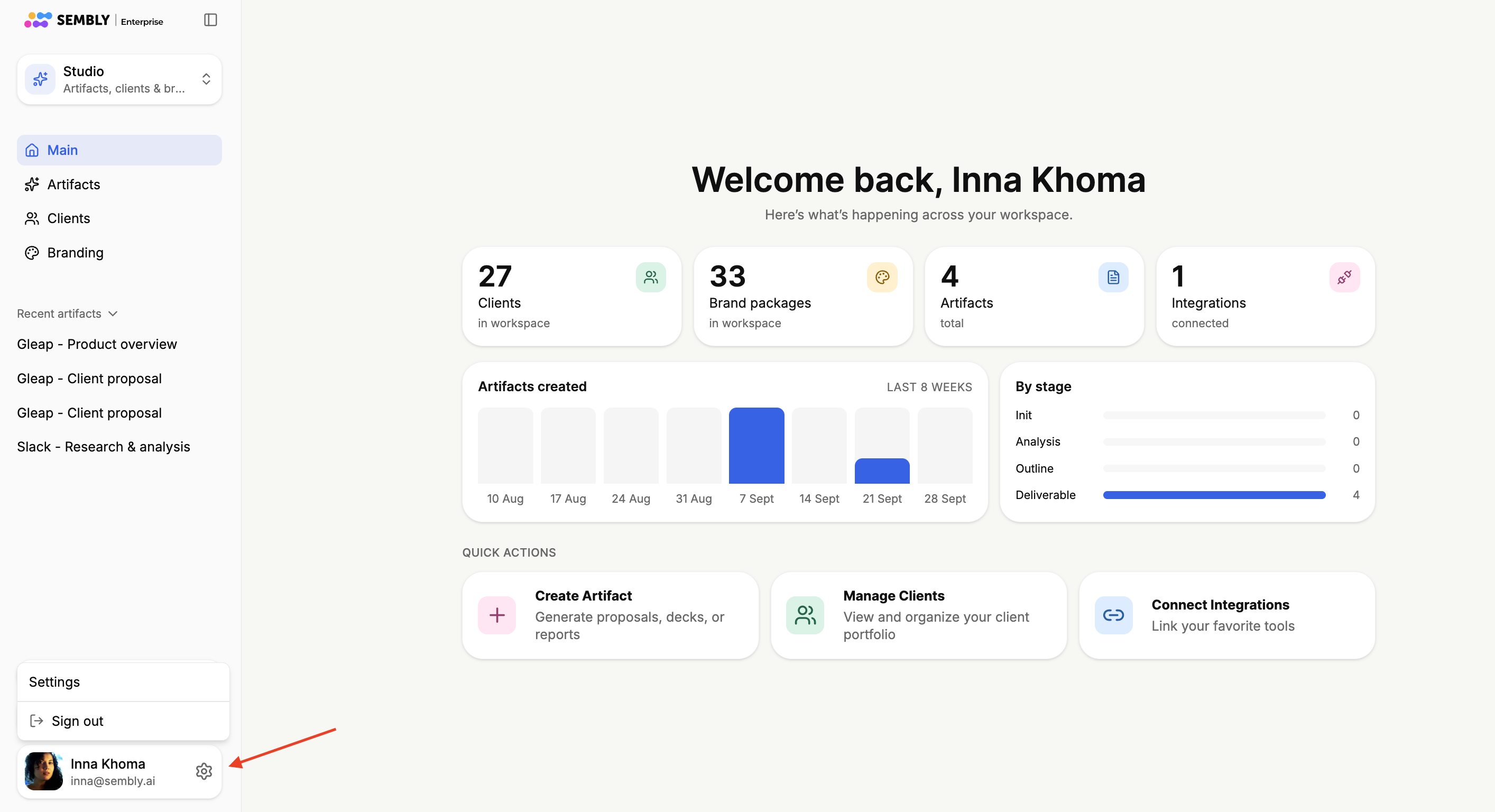
Click the gear icon at the bottom-left of the window next to your profile picture, and click Settings.
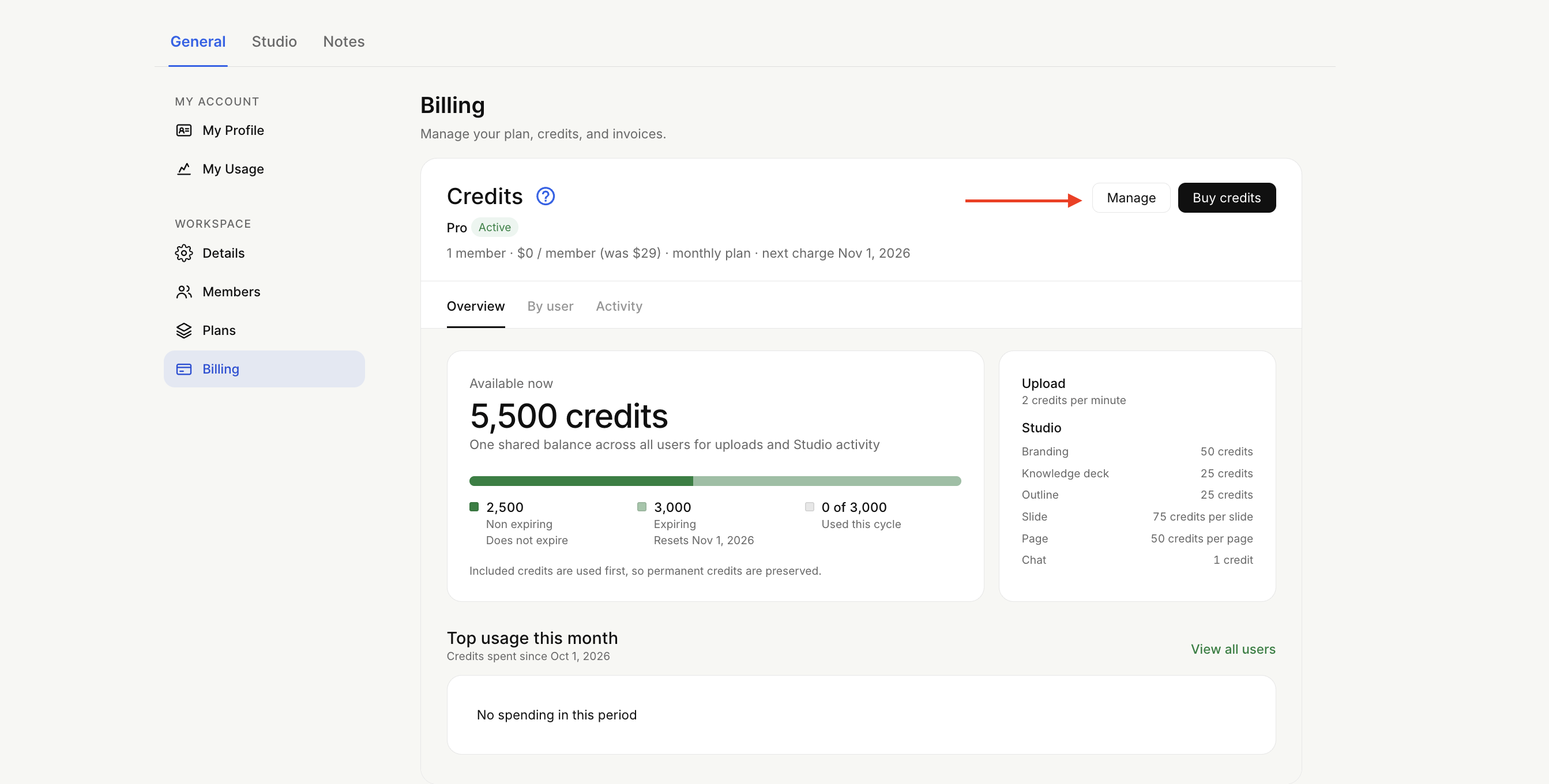
In General → Billing, click the Manage button. Choose Cancel Subscription.
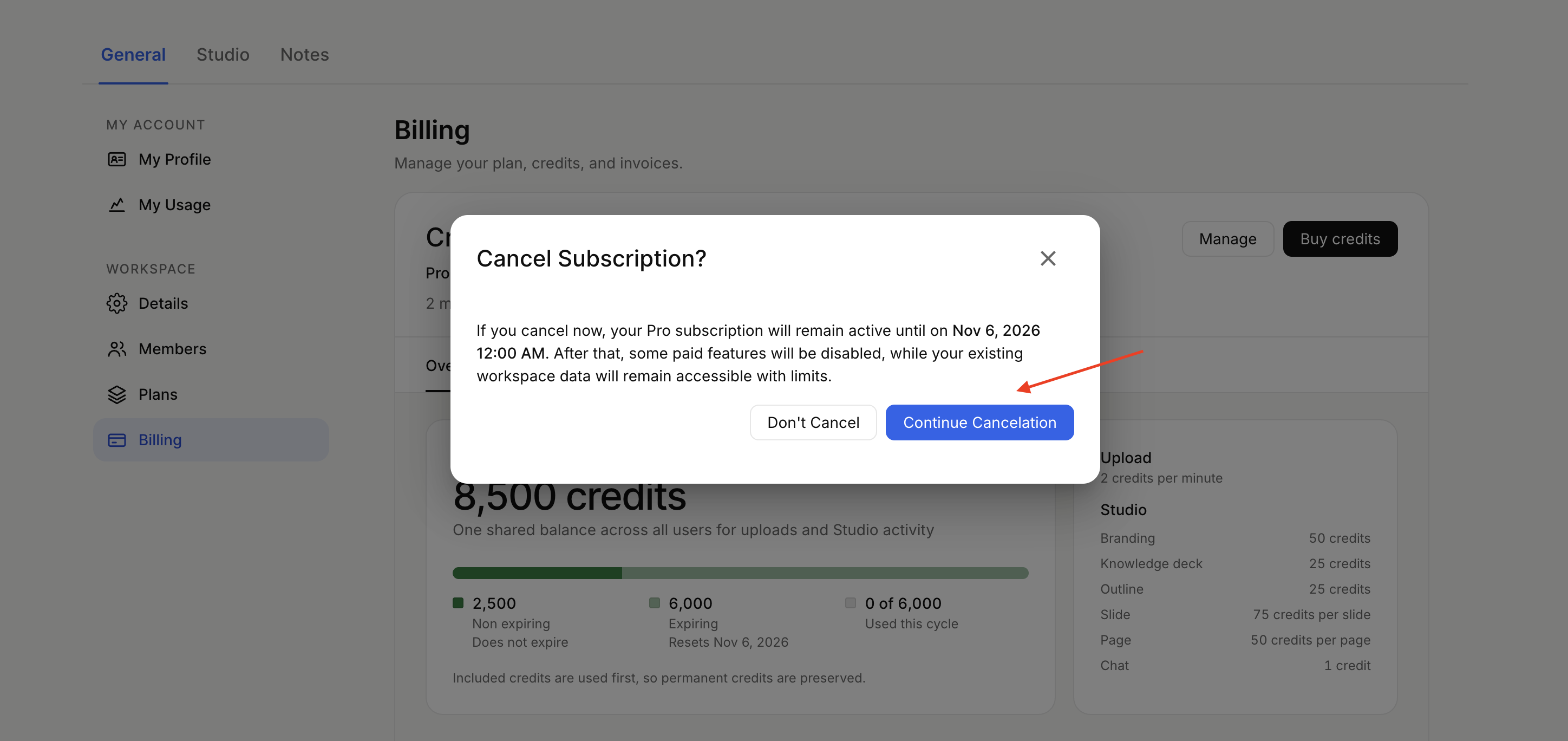
Confirm your decision by clicking Continue Cancelation.
Please specify the cancellation reason, as it helps us improve the app. Then cancel your subscription.
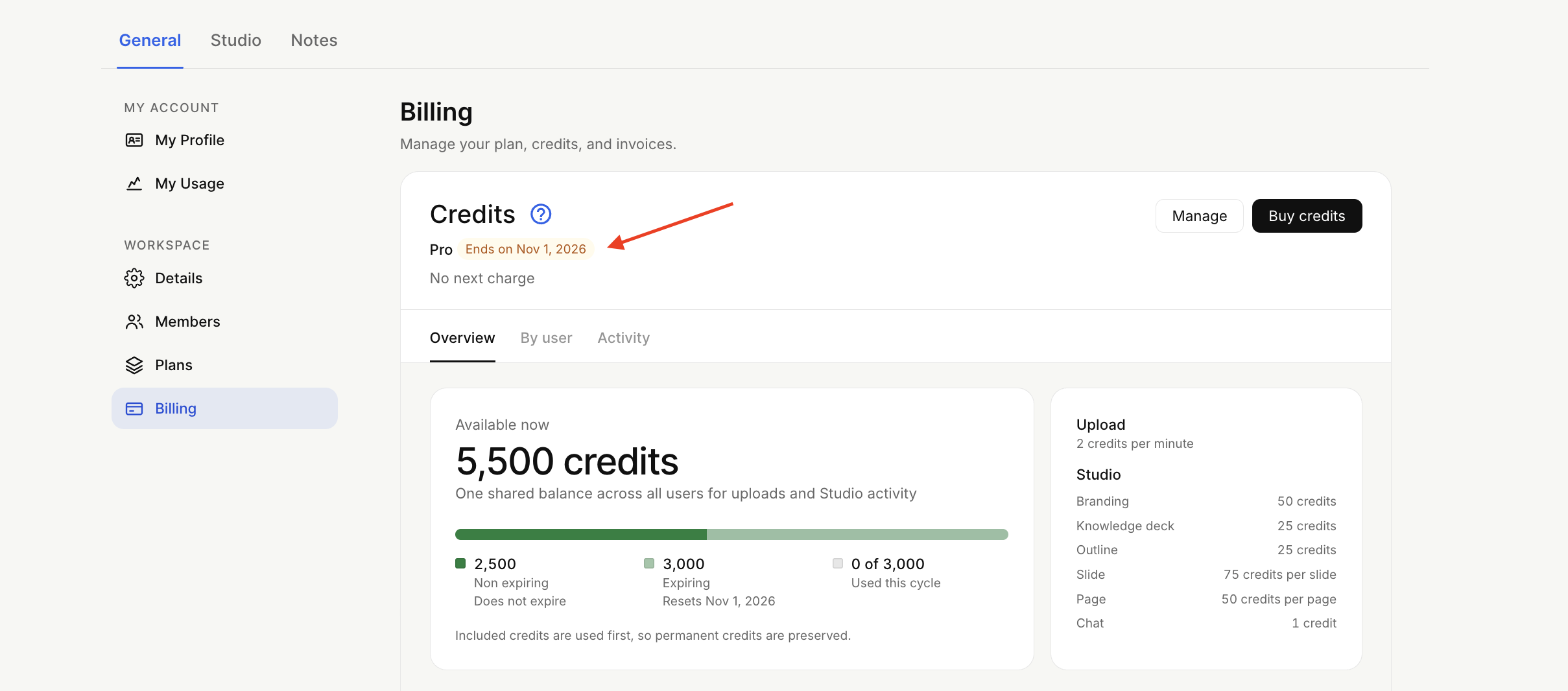
The cancellation is automatic. Your plan benefits will stay active until the end of the billing cycle.
If you delete your account without canceling your subscription, don’t worry — we’ll cancel it for you, and you won’t be charged going forward.
When you cancel your subscription, you keep full access to all paid features until the end of your current billing period. Once that cycle ends, your workspace automatically moves to the Free plan, and the following retention policy applies.
Video files will be removed the next day after the cycle ends.
Meetings under 4 months old (120 days): You retain full access to your transcripts, notes, and audio files.
Meetings older than 4 months:
Text files (Transcripts, Notes, Tasks, etc.) are archived and hidden from your active view and search, though securely saved on our backend. If you renew your paid subscription, they will be available again.
Audio files are completely deleted. If any of your meetings are already older than 4 months when your subscription ends, they will be archived and their audio cleaned up shortly after your workspace switches to Free.
Retention limits are calculated from the date of each meeting, not from the date your subscription ended.
Declining a charge directly through your bank does not cancel your subscription, and our system will continue attempting to collect payment. To avoid future charges, please make sure to cancel your subscription directly in your Sembly account settings.
If you run into any issues canceling, or if you've paid a failed invoice and your subscription didn't renew automatically, please reach out to us at [email protected].
We don't offer refunds for monthly or annual subscriptions, as stated in our Terms of Service, which you agreed to when creating an account in Sembly. Canceling your subscription stops all future charges. However, we can freeze the amount already paid on your balance for future payments. Please email the support team, and we will be happy to help.
If you wish to renew your subscription before your current benefits end, simply email [email protected] with your request. If your benefits have already ended and you want to resubscribe, click Renew Subscription from the banner in the Notes section or go to Settings, then General → Plans and choose which one you would like to be subscribed to.

