LEGACY PLAN: PROFESSIONAL | TEAM | TEAM PLUS
Guest Access
Sembly allows you to share your meeting results with anyone inside or outside the Sembly platform using links. Viewing the meeting does not always require Sembly registration. Guests can get access to the limited functionality while still being able to hear the recording, see the transcript, and view key meeting items.
The Guest Link can be copied by all registered users with access to the meeting.
A Guest Link can be created only by a user with edit access.
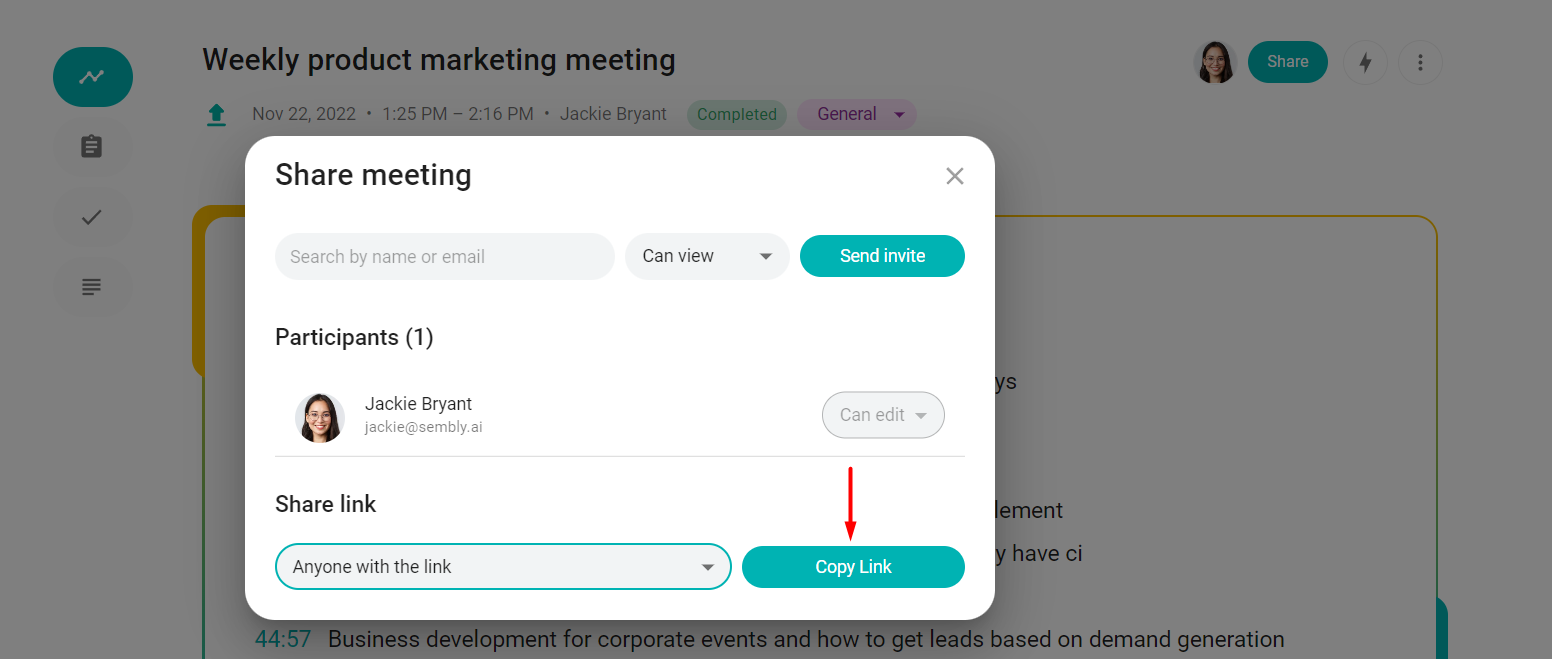
To copy and share a Guest Link, log into Sembly and open the meeting you wish to share. In the meeting, click Share and copy the guest link provided. You can also select an option with a password if you like.

To restrict copying the link to users with access to view, select "no link access" in the dropdown. Only users with "edit" access will be able to change this setting.
Share the meeting at a specific utterance
As you review the meeting, it is important to continue the dialogue even after it is complete. Instead of starting the conversation from scratch, start directly from where you left off during the meeting! Send a link to a specific utterance to a teammate to start the conversation. Hover over an utterance to unhide the “link” iсon in the upper-right corner. Click to copy the link to your clipboard. The link is ready to be shared.

Share the Key Item
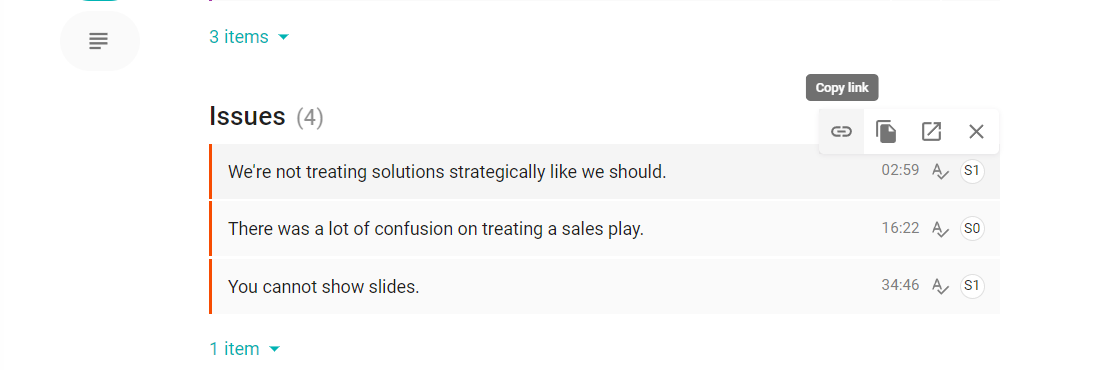
You can share the item with anyone who has access to the meeting. The copied link will take the receiver to the meeting’s transcript and will scroll it to the exact part where the item is.
Hover over the Key Item and see the tools pop up. Click copy link to save it to the clipboard.