
If you are on a Pro, MAX, or Enterprise subscription, you can use AI Chat to create Notes for long meetings that were recorded in several sessions.
Please do the following steps:
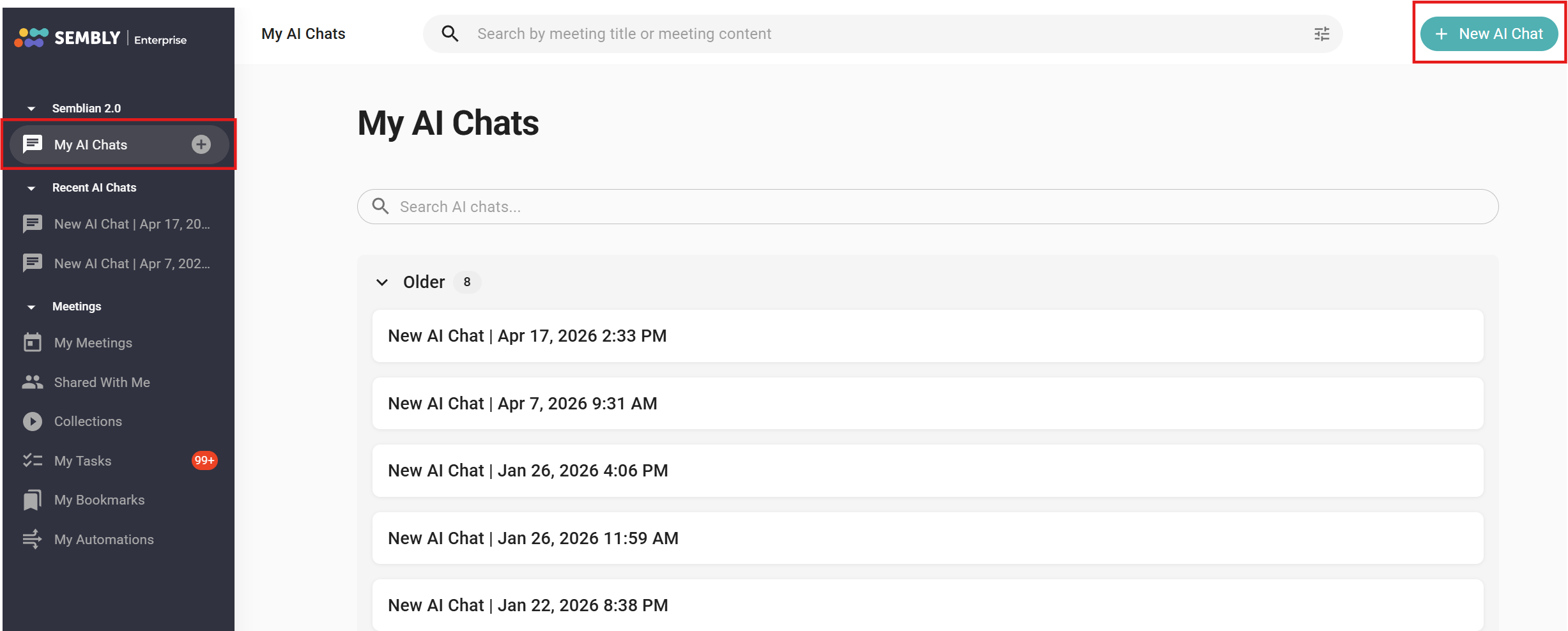
Click on My AI Chats in the top left corner and press the +New AI Chat button
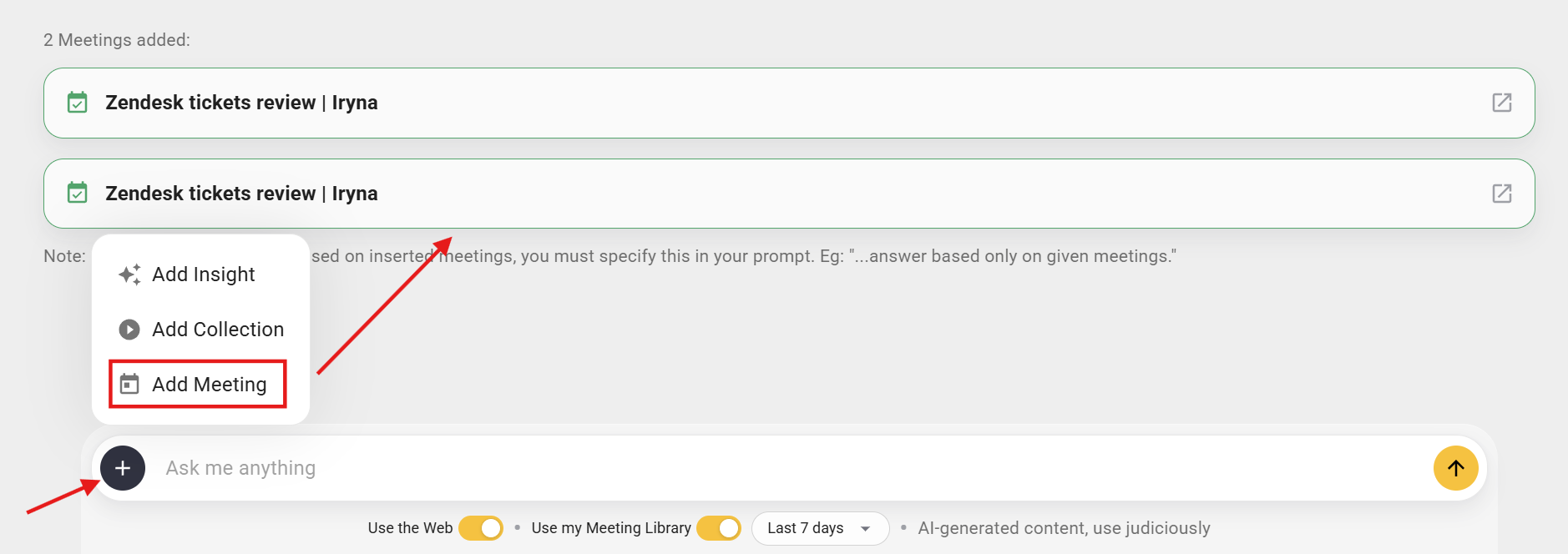
Add the required meetings to the chat, then ask the AI to provide meeting notes for the chosen meetings. You can specify the notes structure* to get the desired outcome.
That's it. Semblian will create a document that can be downloaded, edited, and shared with colleagues.
* As an example, let's check the prompt for board meetings that you can request in Semblian chat:
Create meeting notes from 3 meetings added to a chat as a document. Your goal is to synthesize these into a professional, high-level summary that tracks the evolution of our key initiatives.
Structure the output as follows:
Executive Summary: A 3-sentence overview of the primary focus across all three meetings.
Cumulative Progress Tracker: Use a table to show the 'Status' of major projects mentioned in Meeting [title], and how they evolved by Meeting [title].
The 'Big Three' Decisions: Identify the three most significant strategic decisions made during this period.
Financial & Metric Highlights: List any specific KPIs, budget approvals, or financial targets discussed.
Unresolved Items & Friction Points: What was debated but not settled? What are the pending 'asks' for the next meeting?
Action Item Log: A consolidated list of tasks, including the owner and the deadline (if mentioned).
Tone: Professional, objective, and concise. Use bullet points for readability.

