The Workspace API gives your systems read-only access to pull data from the meetings of your Sembly workspace: meeting details, notes, tasks, and full transcripts. API won’t pull meeting audio or video.
Typical uses are syncing meetings into a data warehouse, showing Sembly meetings inside an internal app, or feeding transcripts to your own AI tools.
The API is available to enterprise workspaces. During the beta, Sembly enables it on request. Your Sembly contact can tell you whether your workspace is eligible.
A workspace admin does this once:
In the Sembly web app, open Settings → Automations → Workspace API.
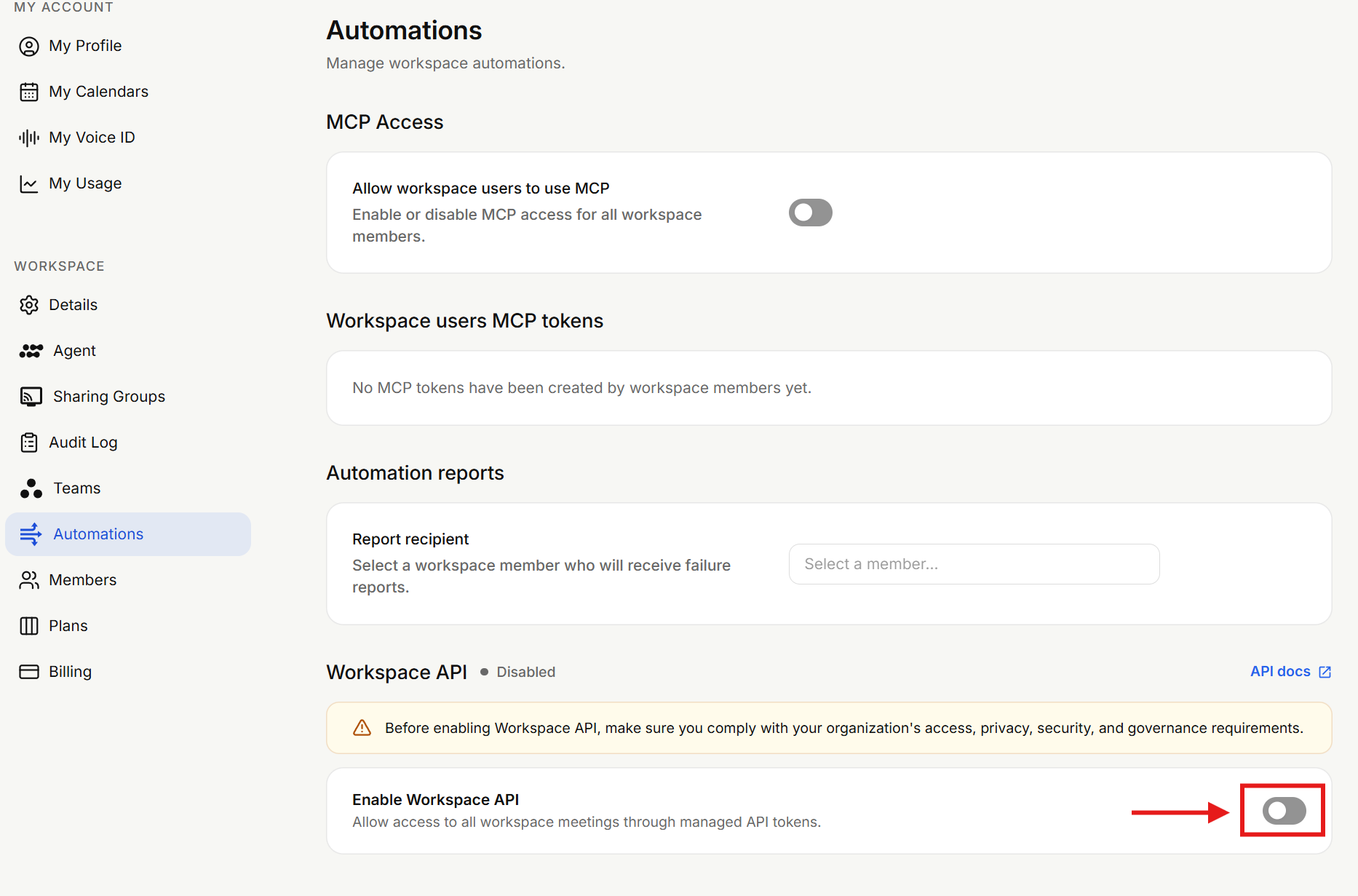
Click Enable Workspace API, read the reminder, confirm that your workspace is authorized to enable this access, and submit.
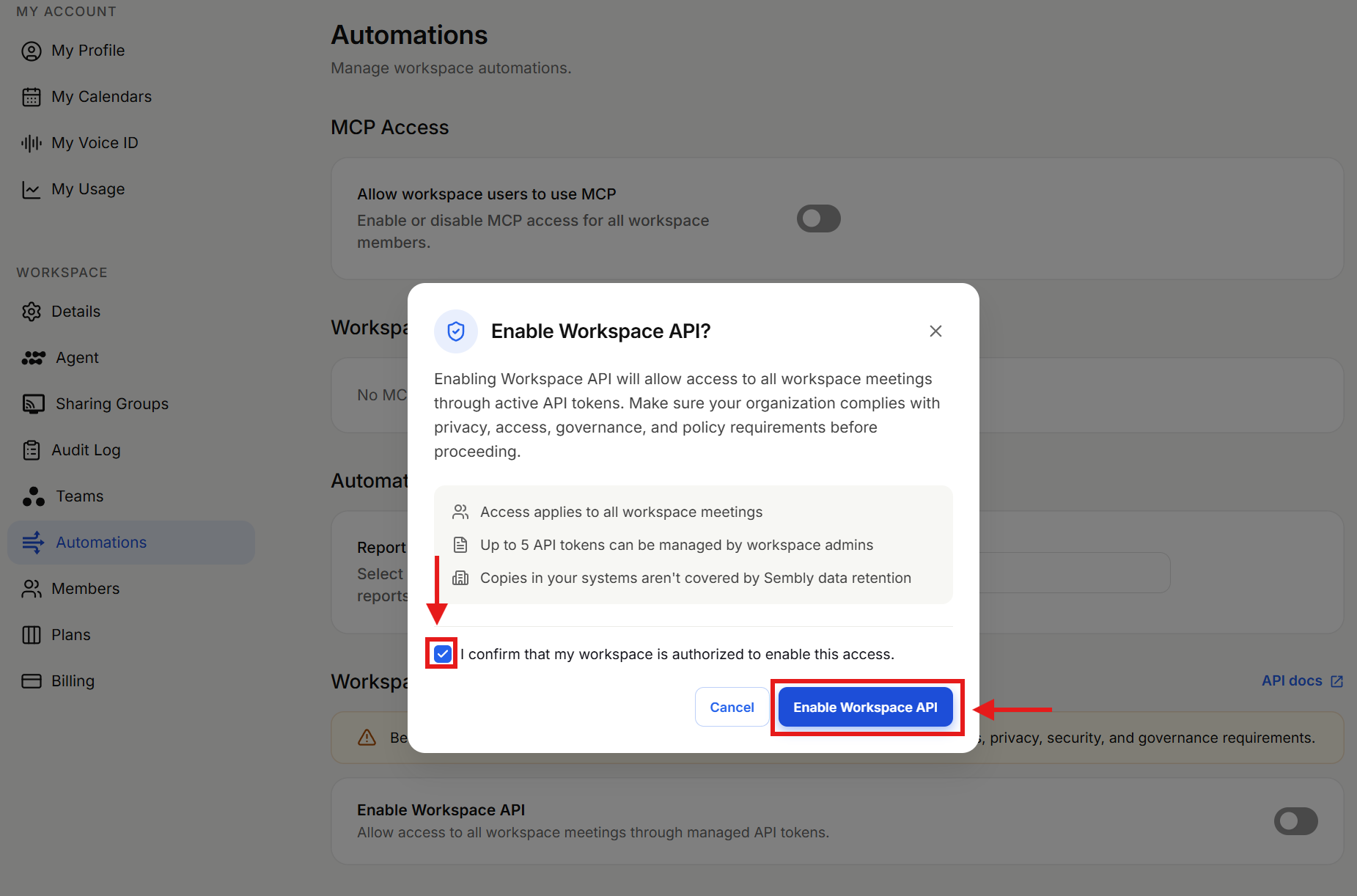
Click Create token.
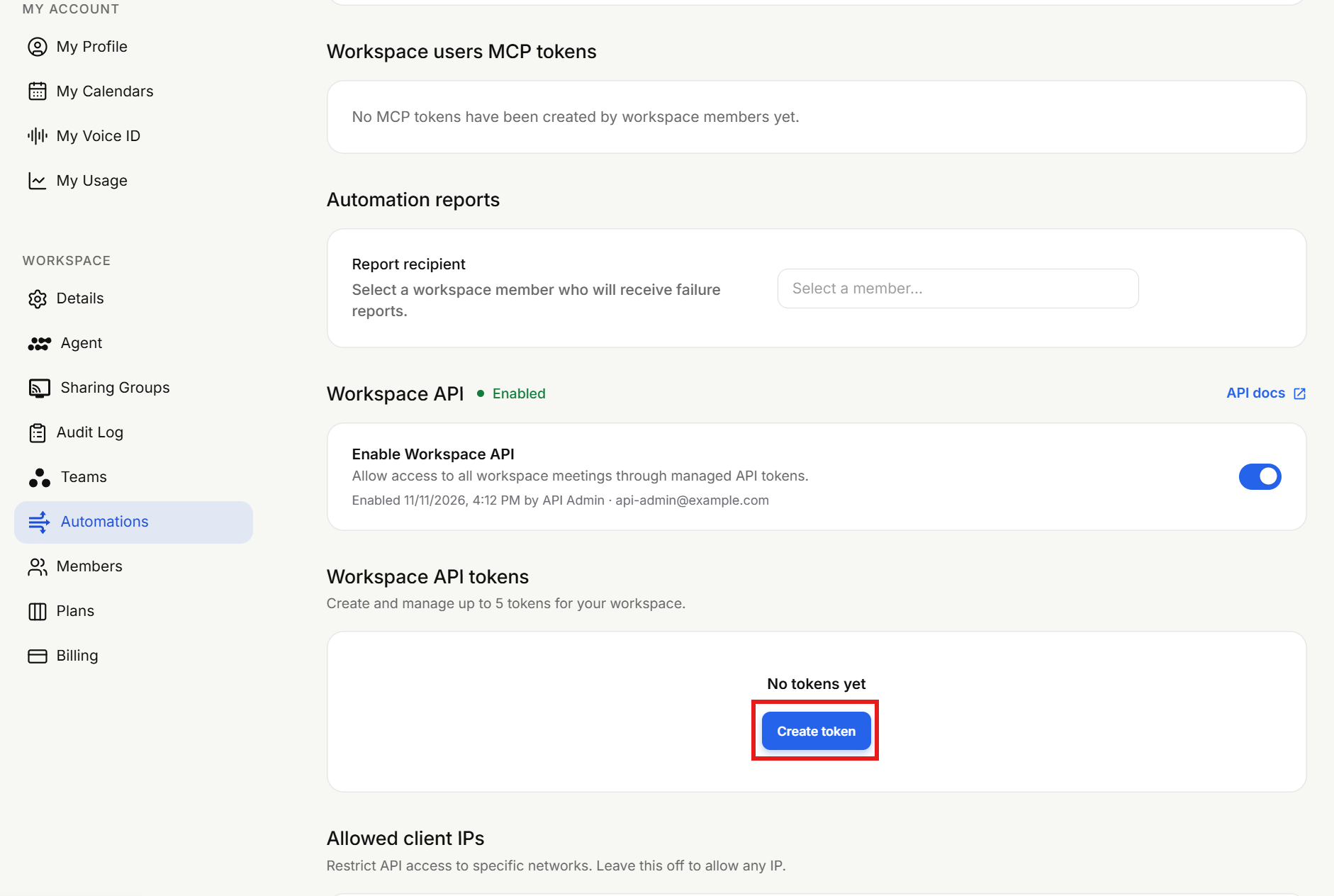
Give it a name and an expiry.
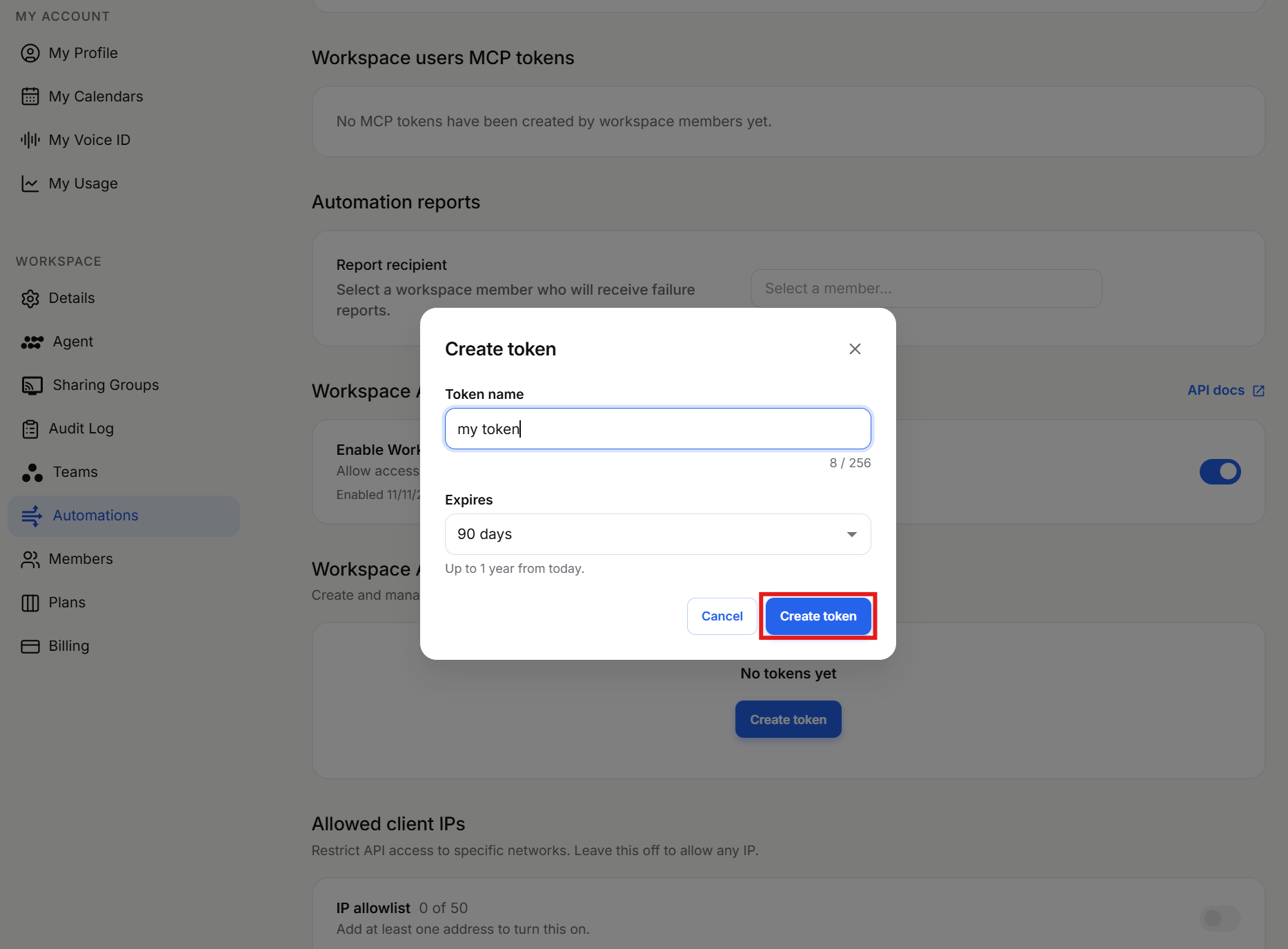
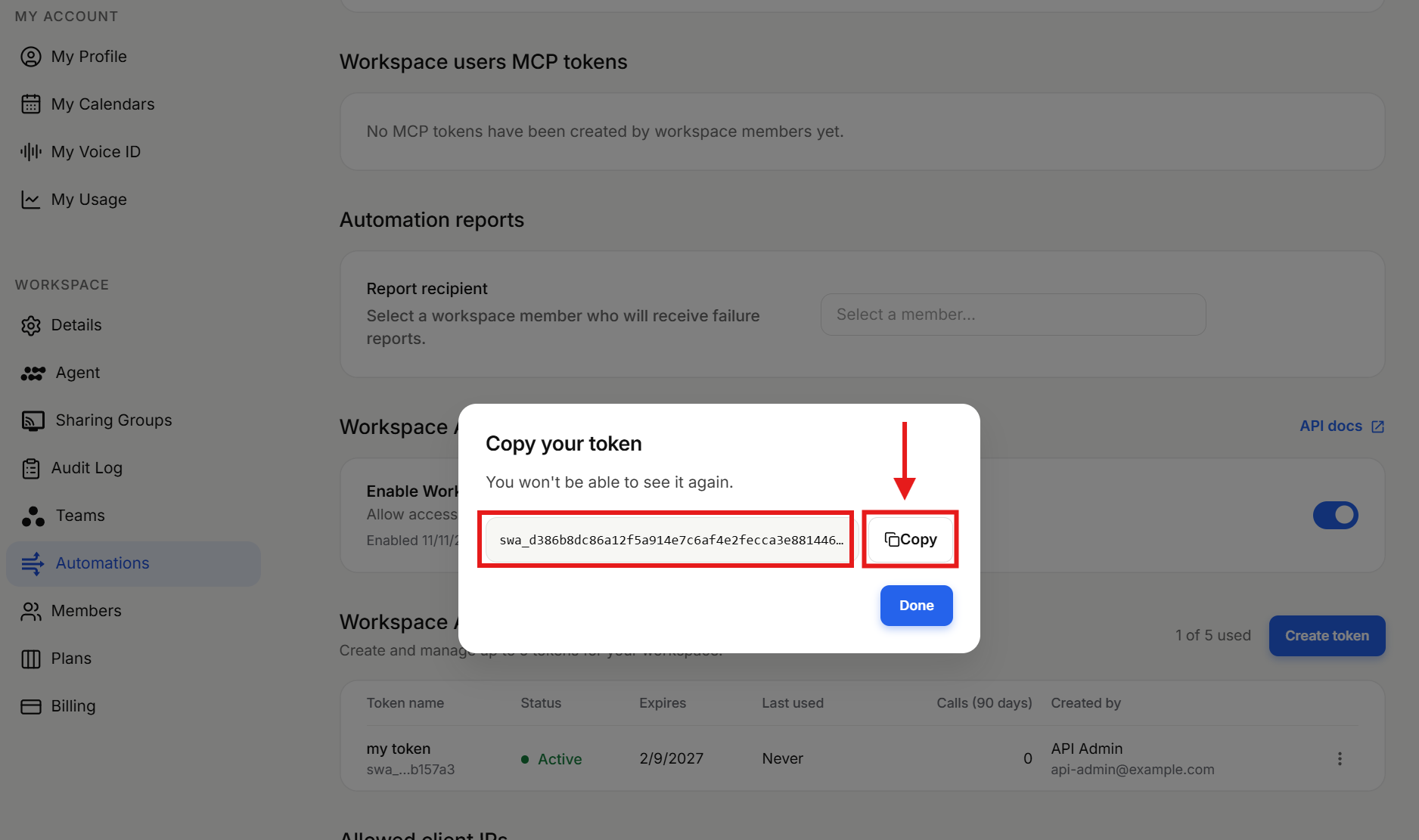
Copy the token. It is shown only once.
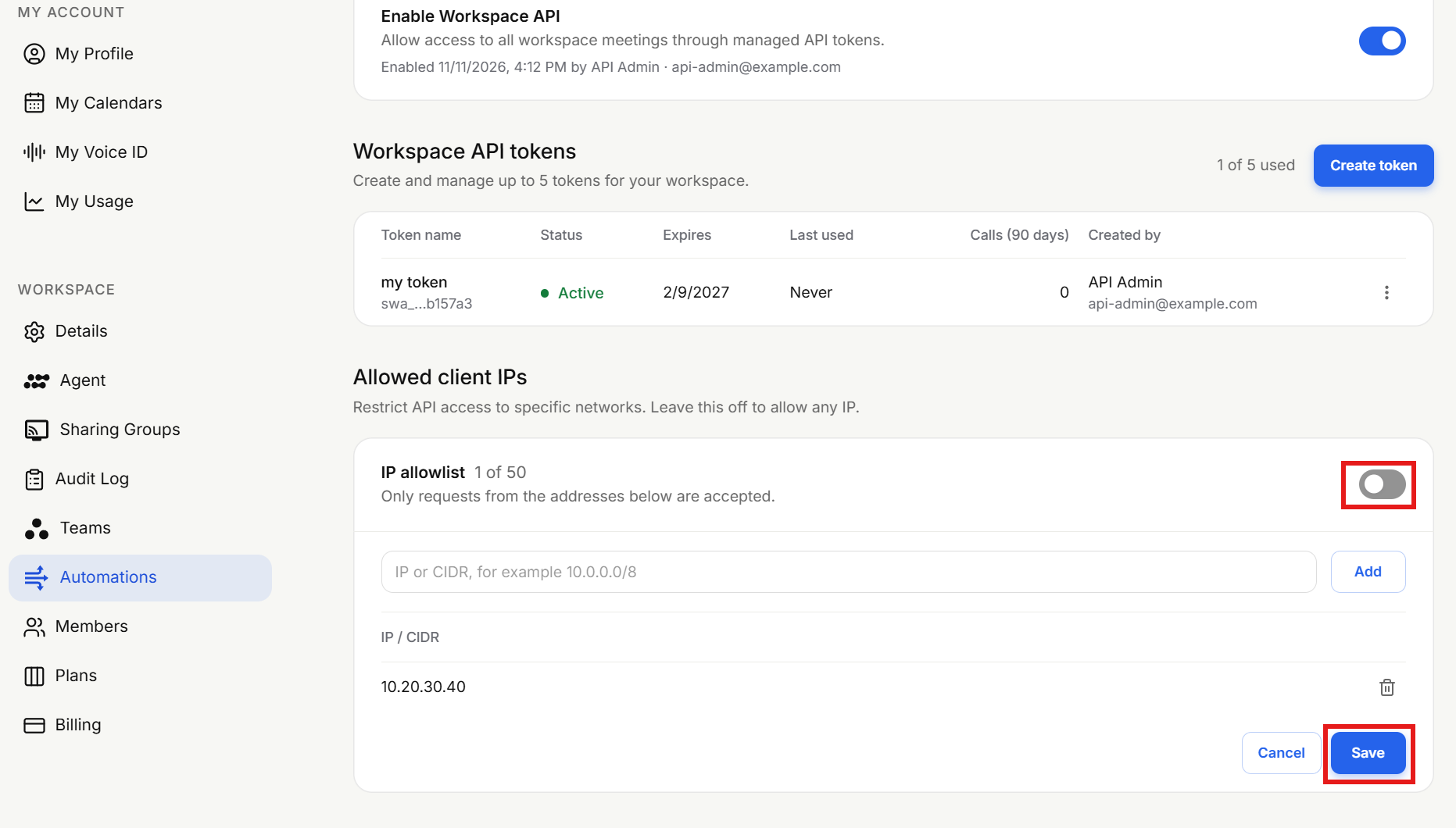
Optional: turn on the IP allowlist.
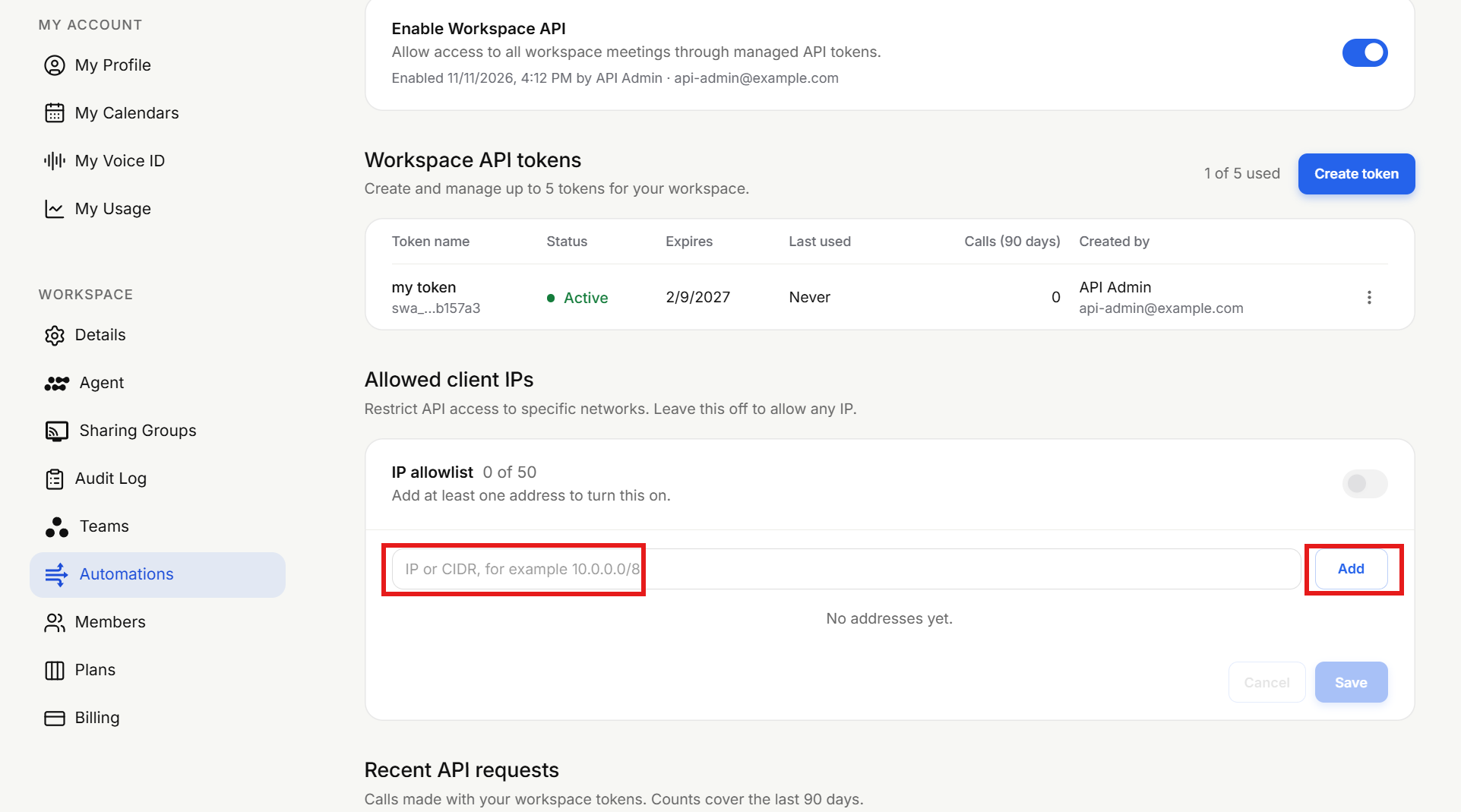
And add the public IP addresses your servers call from.
Use the host of your workspace's region. The region is the one you pick when you sign in to Sembly (United States or European Union).
Region | Base URL |
|---|---|
United States |
|
European Union |
|
A token works only in the region that issued it. Calling the other region returns 401 invalid_token.
curl -H "Authorization: Bearer $SEMBLY_TOKEN" \
  "<https://api-us.sembly.ai/v1/workspace/meetings?status=processed&limit=5>"
The machine-readable description of every endpoint is the OpenAPI document:https://api-us.sembly.ai/v1/workspace/openapi.json (or the api-eu host). Code generators and AI agents can use it directly.