Sembly 3.0 is a major evolution of the Sembly platform, launching September 7, 2026. It keeps everything you already use Sembly for — recording, transcribing, and getting notes from your meetings — and adds a brand-new set of agentic capabilities for creating fully branded, client-ready documents and presentations.
Sembly 3.0 introduces a fresh visual design (with full light mode and dark mode support) and reorganizes the product into two areas that live side by side under one account:
Notes — the meeting notes, transcription, and AI chat experience you already know. Functionally, it works the same as today, just with the new look and feel.
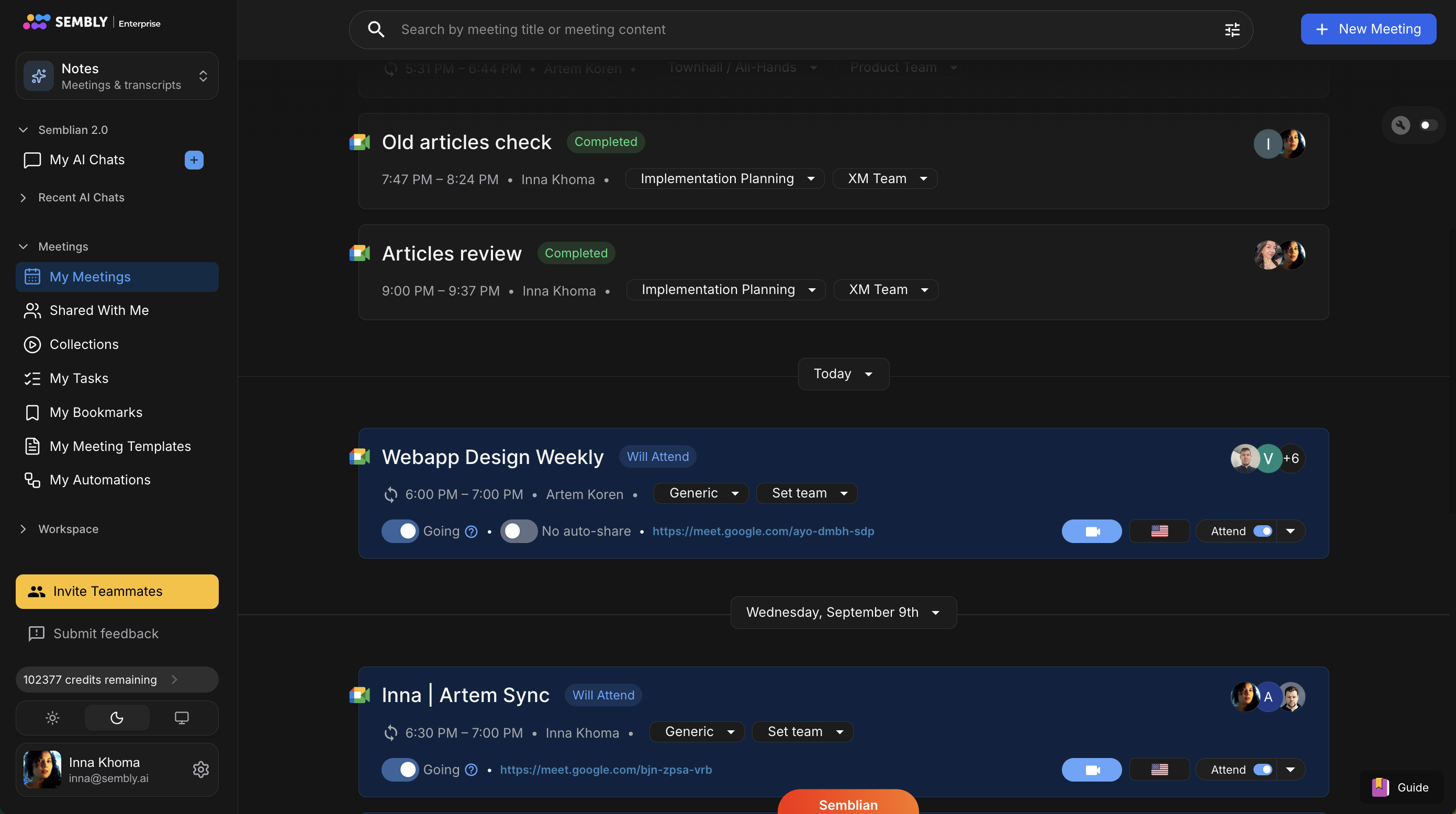
Studio — a brand-new area for creating client-ready presentations and documents (slide decks, one-pagers, proposals, reports, and more).
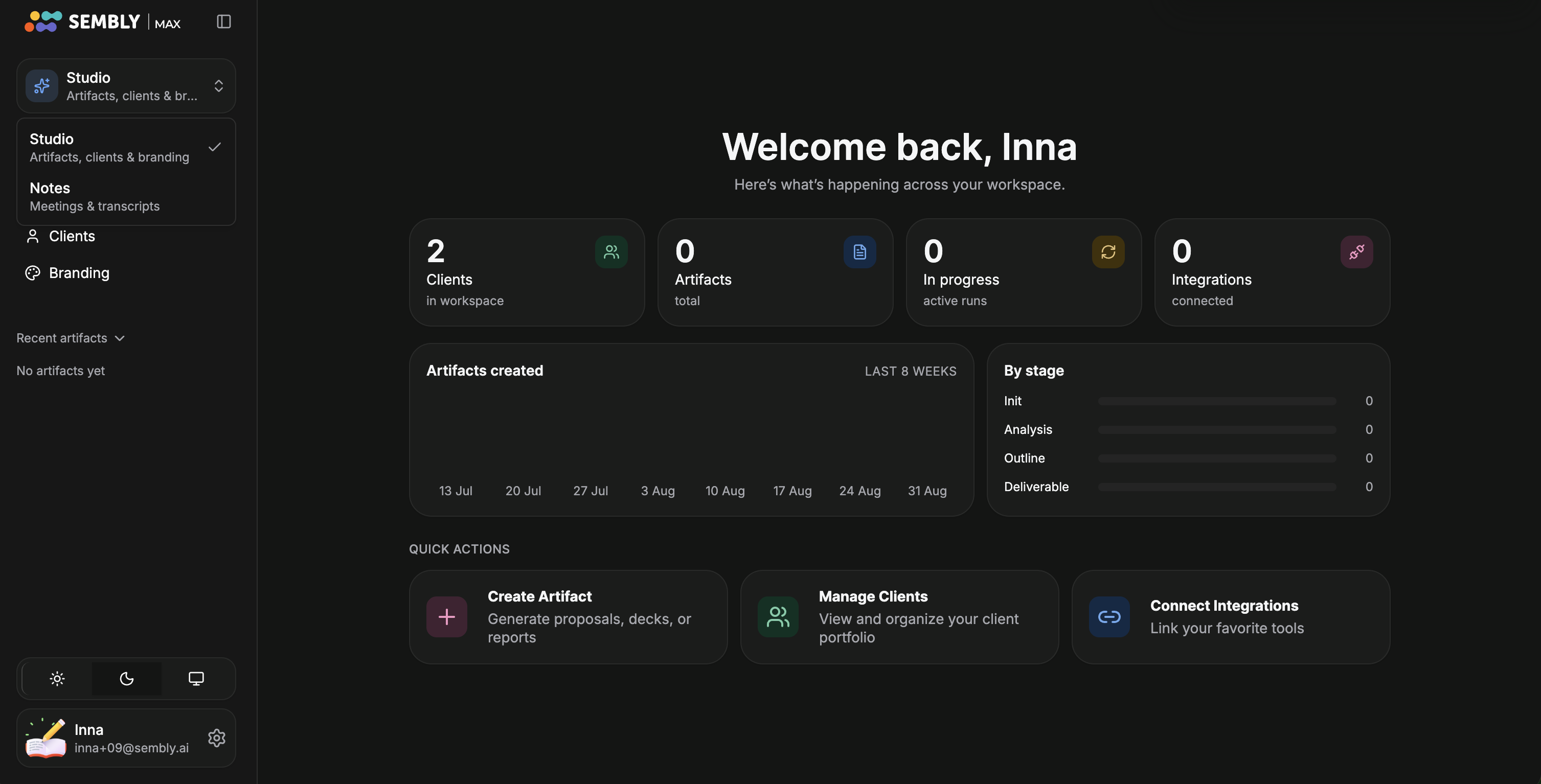
You can switch between Notes and Studio at any time using the switcher in the top-left of the app. Settings include a few shared sections for both Notes and Studio in the General tab. You can also adjust or view product-specific settings in the relevant tab (Studio or Notes).

Sembly keeps the core subscription structure you already know and adds agentic capabilities.
The core plan tiers — Basic, Pro, and MAX — still exist, along with a custom Enterprise tier for negotiated accounts and Free Trial mode, which does not require a credit card, to try the product.
Each plan is still available monthly or annually at the same price, with annual billing priced lower than paying month-to-month.
One subscription plan covers your whole account — both Notes and Studio live under the same plan, there's no separate "Studio plan" and "Notes plan."
Plan-based feature limits scale up as you move from Basic → Pro → MAX.
New sign-ups land in a Free Trial plan that does not require a credit card. You get:
A one-time credit bonus for your workspace to explore the product: 1,750 credits.
After that, you get a monthly credit refresh: 750 credits.
You can use the Free Trial for as long as you like. Once you’ve used all your credits, you’ll be prompted to upgrade to a paid plan so you can keep going. If you need more credits, you can purchase them only with a paid plan.
You can also skip the Free Trial entirely and go straight to a paid plan (choosing Basic, Pro, or MAX and entering payment details up front) if you prefer.
If your workspace is currently on a Professional, Team, or Team Plus plan (rather than Basic/Pro/MAX), here's what to expect at launch:
You'll see the new Sembly 3.0 interface, including dark mode/light mode, right away.
You will not have access to Studio until your workspace switches to one of the new plans (Basic, Pro, or MAX).
All of your existing Notes functionality continues to work exactly as it does today.
Legacy plans will be transferred to the new plan structure by the end of the year. If you're on a legacy plan, it’s a good idea to start planning your move to a new plan ahead of time so you can experience new features in Notes and Studio.
It lets you:
Manage multiple clients, each with their own branding and context. Upload reference documents to each client folder that you might want to use for context.
Automatically generate documents, slide decks, one-pagers, and other deliverables using client branding and uploaded materials as a reference.
Produce highly customized and visually branded outputs for each client. It can also reference publicly available sources (such as the client's website) to fetch brand elements such as logo, fonts, colors, etc.
Meeting content (notes, transcripts, etc.) can be used as a source but is optional; artifact creation can use any knowledge source.
Studio supports two modes, so it works well for both quick, casual use and more deliberate, detail-oriented work:
A streamlined, step-by-step flow designed to take a brand-new user from "I just signed up" to "here's my first deck" in a few minutes. It walks you through:
Choosing a client and describing your goal.
Selecting a visual style (strict, balanced, or creative) and adding guidelines.
Reviewing brand variants and the slide outline.
Approving and generating the finished deck.
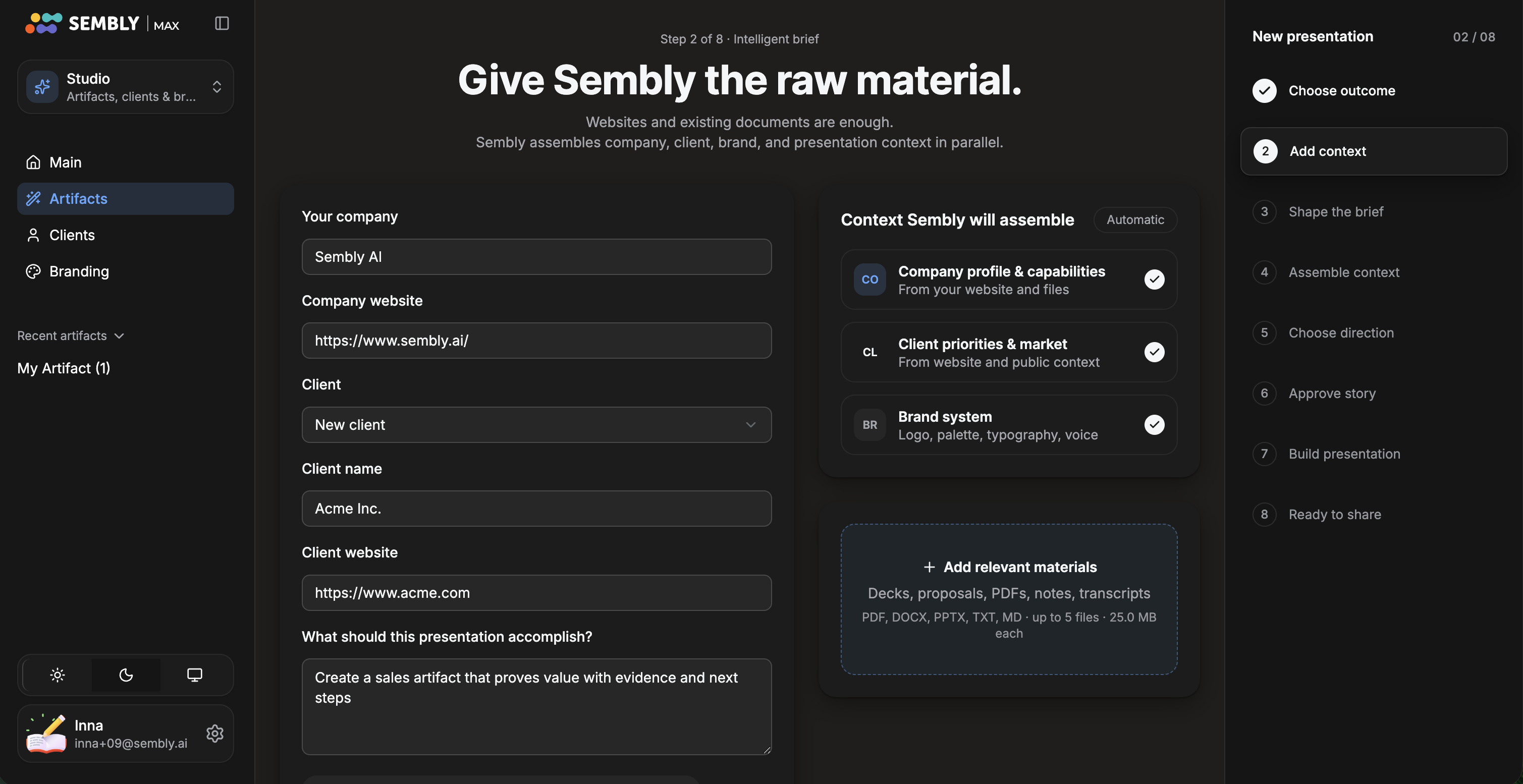
Guided Mode is built for speed, not deep customization. Guided Mode is automatically activated the first time a new user signs up; you can exit it at any point.
In Advanced Mode, you have complete control and visibility into each stage of building an artifact:
Knowledge Deck — Sembly gathers and organizes the facts, claims, and gaps from your source material into a base of evidence you can review.
Outline — Sembly proposes a slide-by-slide plan, including what each slide or page covers, tone, and focus, for your approval.
Slides — the finished, branded deck or document is generated based on the approved outline.
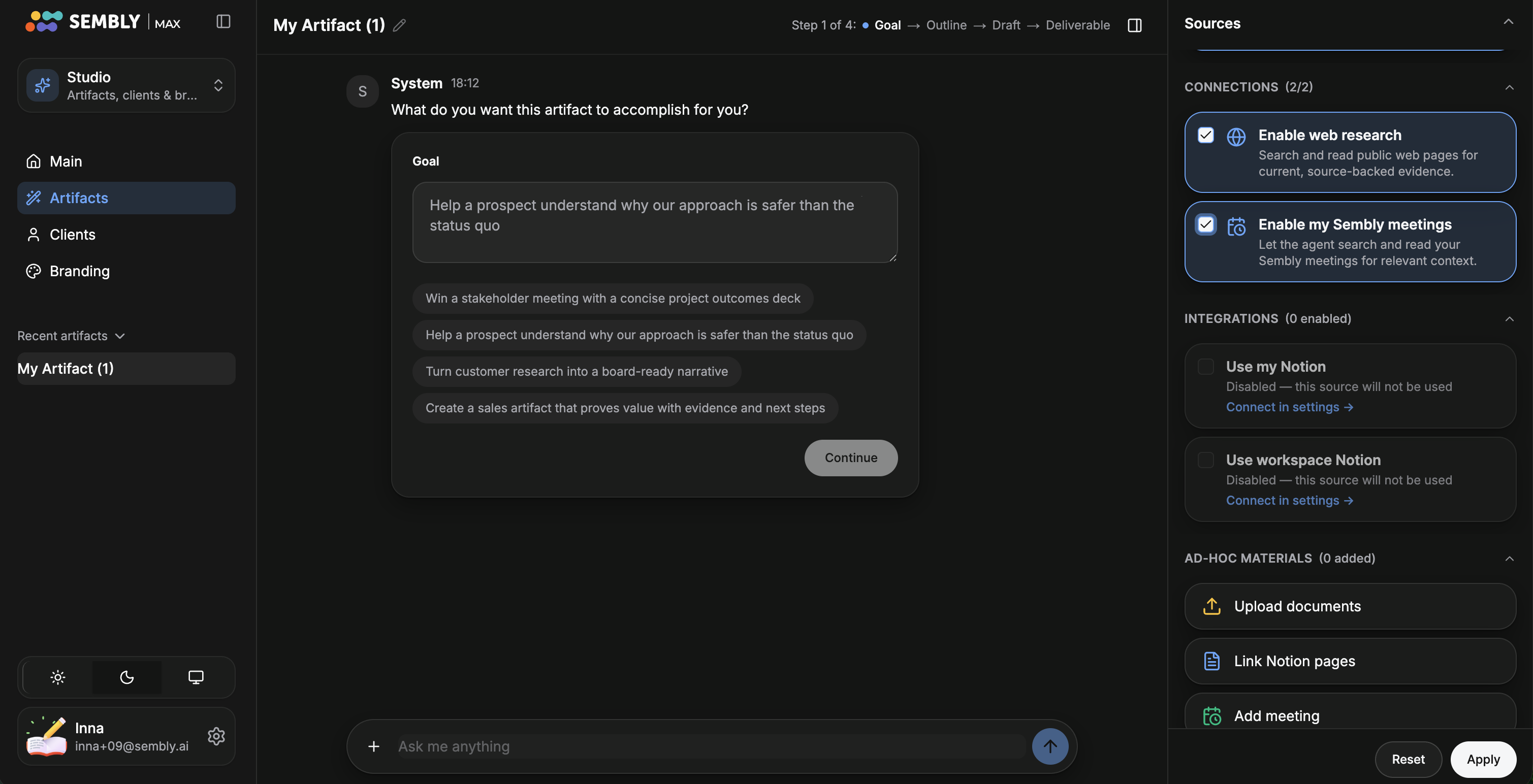
You can also create Word documents in Advanced Mode (Word document creation is not currently available in Guided Mode).
Studio lets you manage multiple clients, each with their own:
Branding package — logo, color scheme, fonts, and style, which Sembly can derive automatically from a client's website and any materials you upload.
Reference materials — contracts, prior deliverables, and other documents used as context for anything you generate for that client.
Branding packages are reusable, so once set up, future artifacts for that client stay consistent without extra work.
Meeting content is now just one of several optional sources you can feed into an artifact — you're not required to have any meetings connected. In Studio, you can:
Enable Use My Meeting Notes so Sembly automatically pulls relevant context from your meetings, or
Insert specific meetings directly, or
Skip meeting content entirely and build from uploaded documents, integrations, or your own written brief.
Sembly 3.0 supports personal and workspace-wide data source integrations (starting with Notion at launch, with more planned). These are used as inbound context sources for artifact creation.