


Sembly MCP is our hosted server that allows you to connect MCP (Model Context Protocol) clients to read meeting data accessible to you in your Sembly account.
It allows you to use Sembly data context in chatbots, AI IDEs, and AI workflows that support MCP integrations, such as Claude, Cursor, N8N, and more.

High-level diagram of the MCP data flow, where your tools connect with the MCP client to Sembly AI data via Sembly MCP.
With an MCP token, you can access meetings that are recorded in or shared with your Sembly account.

How to activate Sembly MCP
By default, Sembly MCP is disabled in the workspace settings for security purposes. Once a workspace administrator enables it, you can set it up for your Sembly account.
Log in to your US or EU Sembly account and click the gear icon next to your name to open Settings → Notes → Automations tab.
In the MCP Access block, toggle on Allow workspace users to use MCP
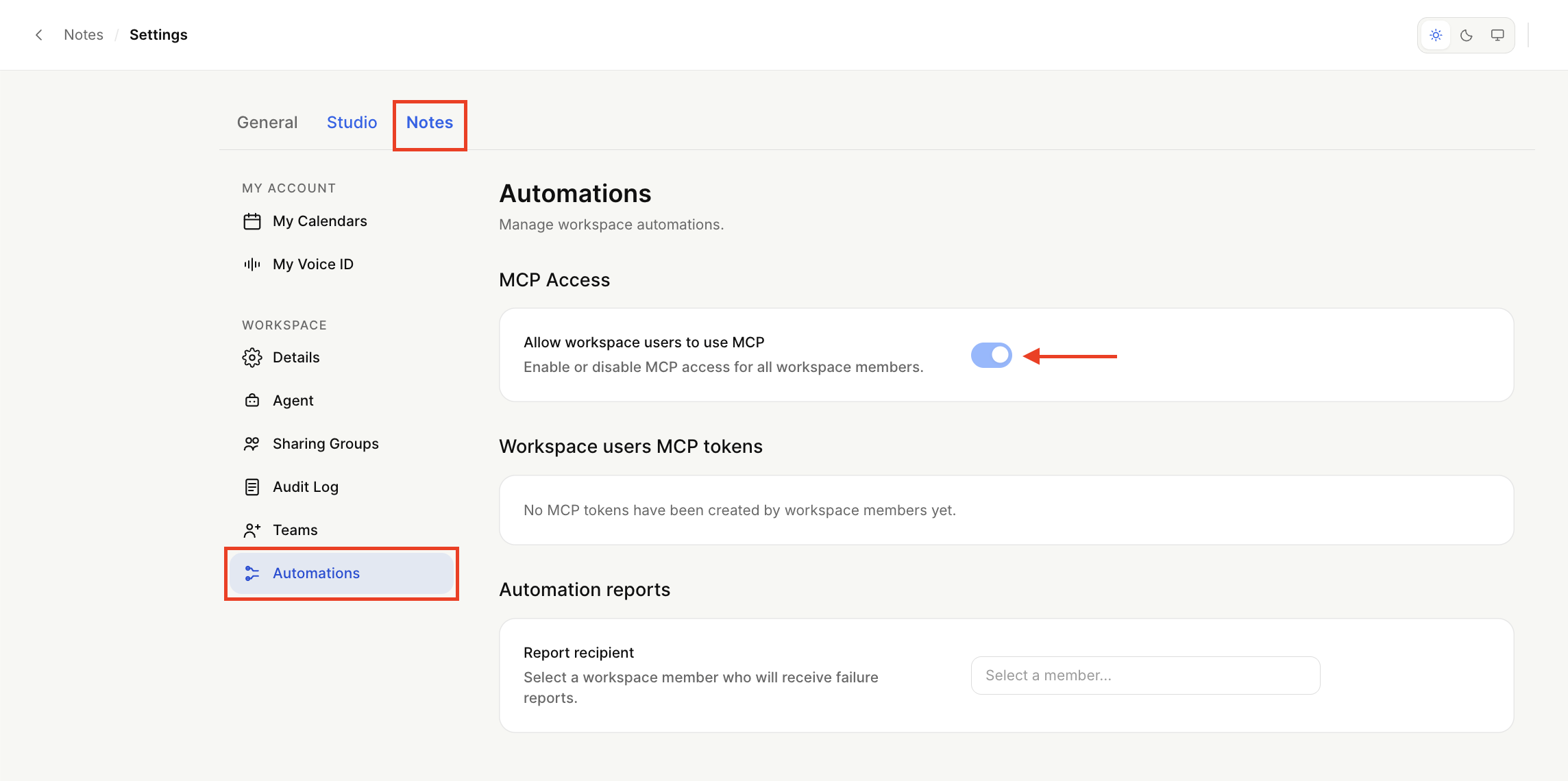
The confirmation will pop up in the left corner. From this moment, all users in the Sembly workspace will be able to create and manage their MCP tokens.