LEGACY PLAN: PROFESSIONAL | TEAM | TEAM PLUS
Create a Bookmark
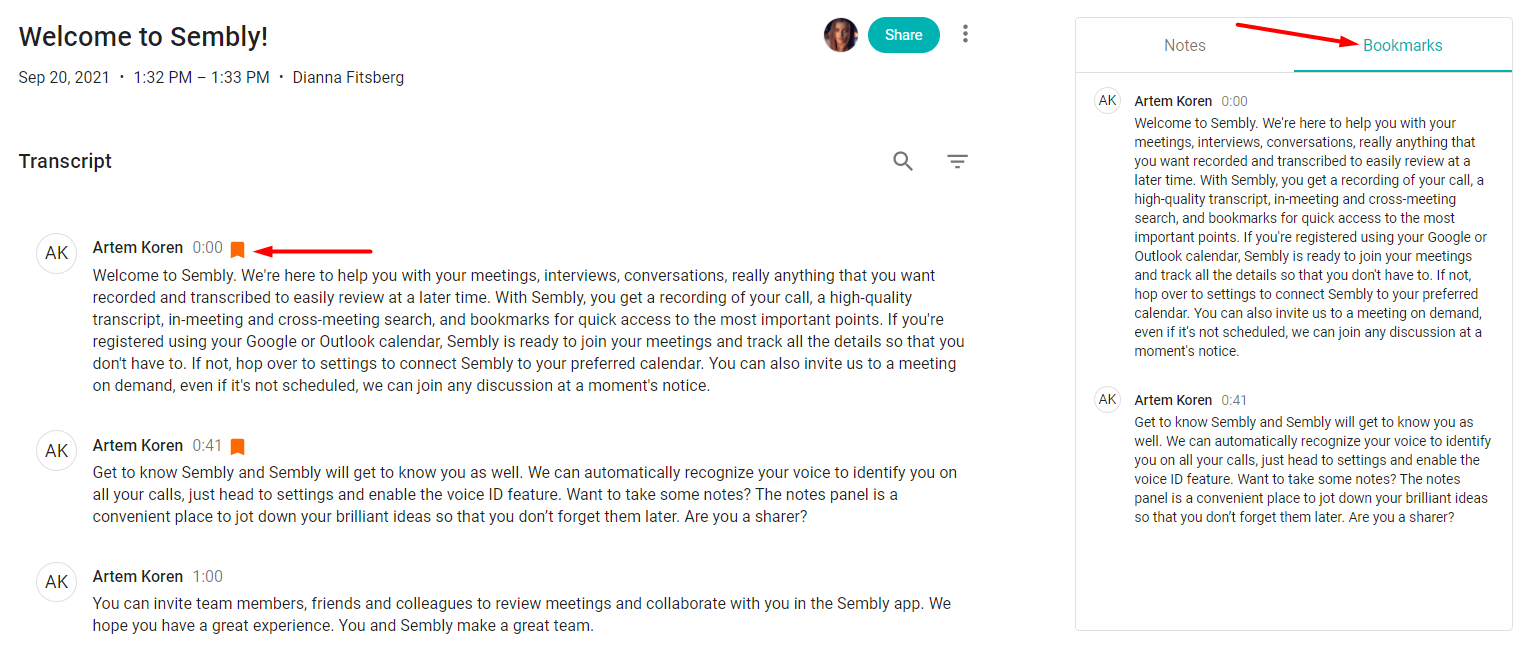
As you review the meeting, it's important to save meeting highlights so you can find them quickly on your next visit. Your bookmarks will be stored in the bookmarks tab on the right of the meeting window and can only be viewed by their creator.
Log in to Sembly
Open your meeting
In the transcript, hover over the meeting utterance and click the bookmark icon. The utterance will be added to the list of My Bookmarks on the right of the window
Share My Bookmarks
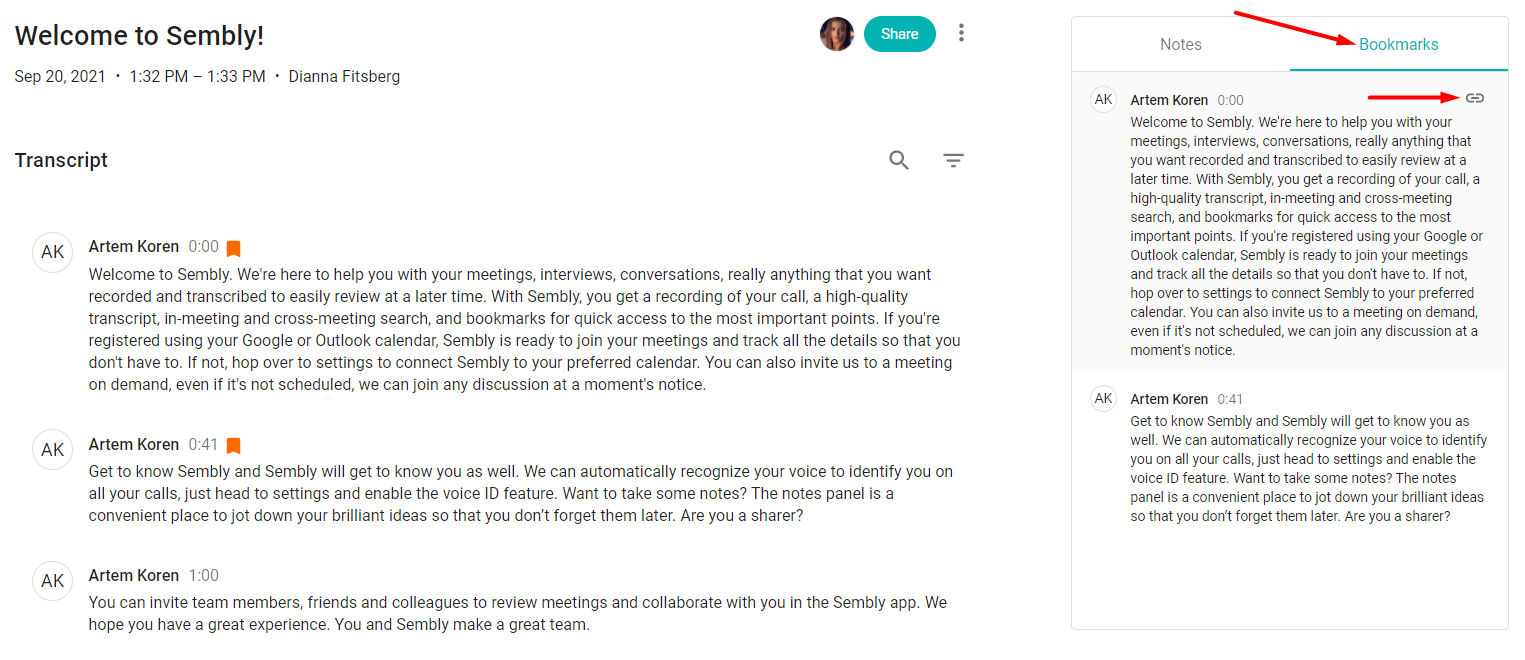
Hover over the bookmarked utterance in the bookmarks tab on the right
Click the link icon to copy it to the clipboard
Share with anyone who has access to this particular meeting
Delete My Bookmarks
In the transcript, click the orange bookmark icon to remove it from the tab.
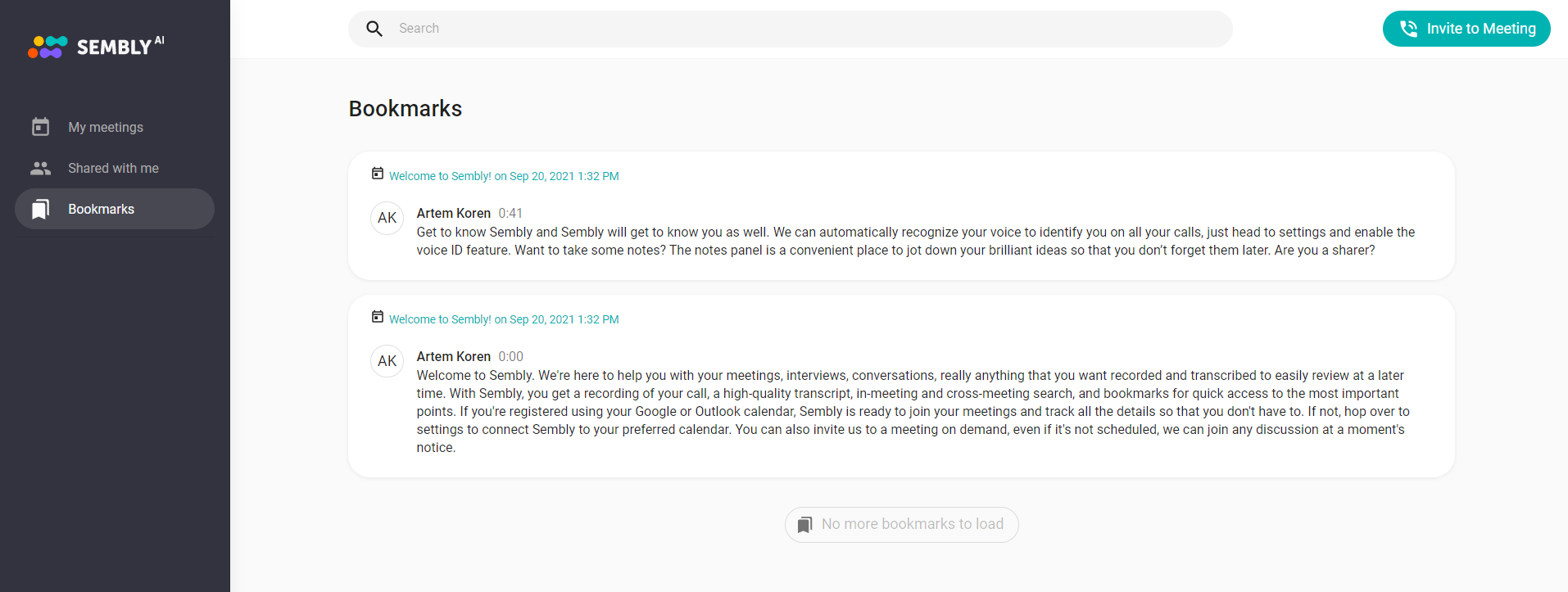
My Bookmarks list
You can also check all the bookmarks you have ever left so far in a left-side menu by clicking the relevant option. Each bookmark slot will mention a speaker's name and a URL to the meeting the bookmark is taken from.